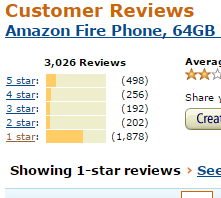
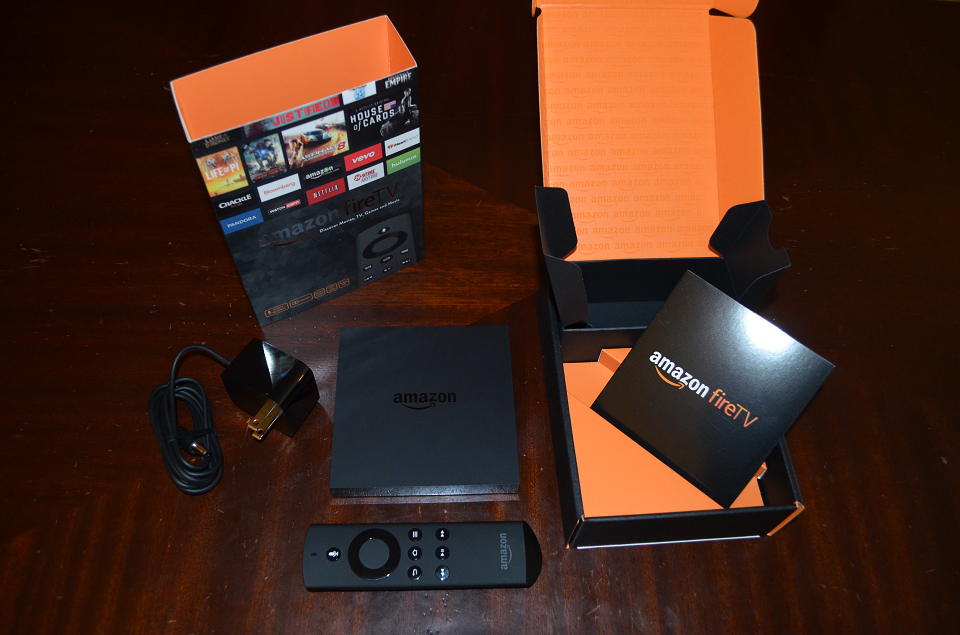
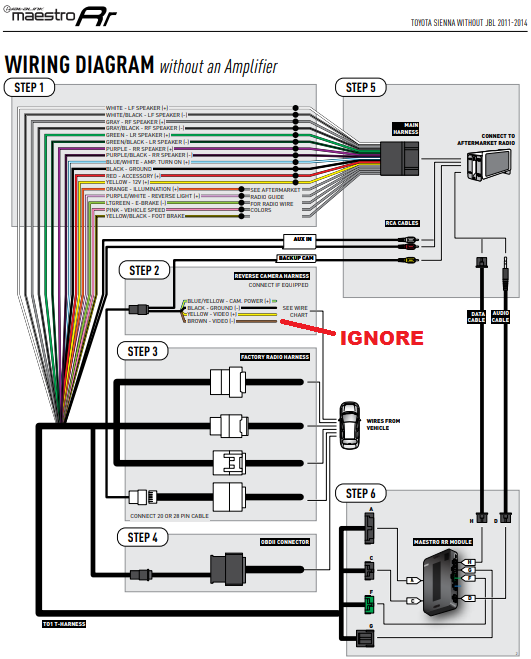
<?xml version="1.0" encoding="UTF-8"?>
<?xml-stylesheet type="text/xsl" media="screen" href="/~files/atom.xsl"?>
                                                                                                                                                                                                                                                                                                                                                                                                                                                                                                                                             
<feed xmlns="http://www.w3.org/2005/Atom" xmlns:openSearch="http://a9.com/-/spec/opensearchrss/1.0/" xmlns:blogger="http://schemas.google.com/blogger/2008" xmlns:georss="http://www.georss.org/georss" xmlns:gd="http://schemas.google.com/g/2005" xmlns:thr="http://purl.org/syndication/thread/1.0" xmlns:feedpress="https://feed.press/xmlns" xmlns:media="http://search.yahoo.com/mrss/">
  <feedpress:locale>en</feedpress:locale>
  <feedpress:newsletterId>TechEpic</feedpress:newsletterId>
  <link rel="via" href="http://www.techepic.com/feeds/posts/default"/>
  <link rel="hub" href="http://feedpress.superfeedr.com/"/>
  <id>tag:blogger.com,1999:blog-995310204156150505</id>
  <updated>2020-02-28T09:08:40.129-05:00</updated>
  <category term="Everything Else"/>
  <category term="Cameras"/>
  <category term="Reviews"/>
  <category term="Software"/>
  <title type="text">TechEpic</title>
  <subtitle type="html">Tech reviews and commentary.</subtitle>
  <link rel="http://schemas.google.com/g/2005#feed" type="application/atom+xml" href="http://www.techepic.com/feeds/posts/default"/>
  <link rel="self" type="application/atom+xml" href="https://feedpress.me/TechEpic"/>
  <link rel="alternate" type="text/html" href="http://www.techepic.com/"/>
  <link rel="hub" href="http://pubsubhubbub.appspot.com/"/>
  <author>
    <name>Anonymous</name>
    <uri>http://www.blogger.com/profile/04660480459531102665</uri>
    <email>noreply@blogger.com</email>
    <gd:image rel="http://schemas.google.com/g/2005#thumbnail" width="16" height="16" src="https://img1.blogblog.com/img/b16-rounded.gif"/>
  </author>
  <generator version="7.00" uri="http://www.blogger.com">Blogger</generator>
  <openSearch:totalResults>21</openSearch:totalResults>
  <openSearch:startIndex>1</openSearch:startIndex>
  <openSearch:itemsPerPage>25</openSearch:itemsPerPage>
  <entry>
    <id>tag:blogger.com,1999:blog-995310204156150505.post-1961402532569623990</id>
    <published>2018-06-11T12:20:00.000-04:00</published>
    <updated>2018-06-11T14:00:40.357-04:00</updated>
    <title type="text">Toyota Sienna aftermarket stereo with Apple Carplay</title>
    <content type="html"><![CDATA[<div class="overrideFont"><a href="https://3.bp.blogspot.com/-1gnNJ8G-8Ps/Wx50hQuXcDI/AAAAAAAABvM/qbRlKcHHJpIWpf3zr8Xi87kZfEPpRyPLwCLcBGAs/s1600/Sienna%2BCarplay.JPG" imageanchor="1" ><img border="0" src="https://3.bp.blogspot.com/-1gnNJ8G-8Ps/Wx50hQuXcDI/AAAAAAAABvM/qbRlKcHHJpIWpf3zr8Xi87kZfEPpRyPLwCLcBGAs/s320/Sienna%2BCarplay.JPG" title="Sienna-Carplay"/></a><h2 class="reviewsubheading">Giving the Toyota Sienna a usable infotainment system with Apple CarPlay, better sound, Bluetooth, backup camera.</h2><a name='more'></a><p>Since getting our 2013 Toyota Sienna LE years ago, we've had to make do with the standard stereo. If you've come looking for assistance in getting rid of your 2011-2014 Sienna stereo, I sympathize. The Bluetooth is so poor as to be unusable, the backup camera screen is postage-stamp in size, and the stock stereo puts out so much bass that even on the lowest bass setting the booming, low-quality bass ruins a lot of music. </p><p>Thankfully, for about $550 and several hours of your time you can have: <ul><li>Apple CarPlay</li><li>Proper Bluetooth integration (with Bluetooth streaming audio)</li><li>SiriusXM</li><li>CD / DVD player</li><li>HD Radio</li><li>Superior USB integration</li><li>Individual tire-pressure readout</li><li>Check-engine codes</li><li>OEM Backup camera displayed on a large monitor</li></ul></p><p>Others have upgraded the stereos in these cars, but I found some of the information online lacking. This ought to cover all the details, particularly the matter of maintaining the OEM backup camera in your Sienna on an aftermarket stereo. </p><p>After a good bit of research I opted to purchase the following for this project, from <a href="http://www.crutchfield.com">Crutchfield</a> (the SiriusXM tuner came from <a href="http://www.amazon.com">Amazon</a>. The various Crutchfield items are discovered by simply adding the vehicle to Crutchfield and it recommends the various components. When purchasing a receiver there is a discount on install gear. </p><p>If not opting for the iDatalink Maestro unit, over $100 could be saved, but that unit taps into the ODBII sensor on the car to read engine codes and, more importantly, finally allows individual tire pressure read-outs on the car. Steering wheel controls are not only maintained, but enhanced: for example, holding down the Volume + brings to the tire-pressure screen. Holding Volume - mutes. And instead of the stock voice recognition system (which is so poor as to be completely unusable), now it calls Siri. <a href="http://maestro.idatalink.com/">iDatalink</a> lets you select your car and the stereo you'll be using and shows exactly what functionality you can maintain for a given vehicle. </p><p><a href="https://3.bp.blogspot.com/-IgnCNG-Vtno/Wx55IcOeZjI/AAAAAAAABvo/Sl1vn2IoafYx2fhE9Dj1DPWZYQz5UThRwCLcBGAs/s1600/Sienna-AVH-1440NEX-Maestro-iDatalink.JPG" imageanchor="1" ><img border="0" src="https://3.bp.blogspot.com/-IgnCNG-Vtno/Wx55IcOeZjI/AAAAAAAABvo/Sl1vn2IoafYx2fhE9Dj1DPWZYQz5UThRwCLcBGAs/s320/Sienna-AVH-1440NEX-Maestro-iDatalink.JPG" width="320" height="240" data-original-width="1600" data-original-height="1200" Title="Sienna-AVH-1440NEX-Maestro-iDatalink"/></a></p><p>Complete Parts list <ul><li><a href="https://www.crutchfield.com/p_1301440NEX/Pioneer-AVH-1440NEX-DVD-Receiver.html">Pioneer AVH-1440NEX DVD Receiver</a> - $350</li><li><a href="https://www.crutchfield.com/p_794ADSMRR/iDatalink-Maestro-ADS-MRR-Universal-Radio-Replacement-SWI.html">iDatalink Maestro ADS-MRR</a> - $105></li><li><a href="https://www.crutchfield.com/p_794HRRTO1/iDatalink-HRN-RR-TO1-Install-Harness-for-select-Toyota.html">iDatalink HRN-RR-T01 Wiring Harness</a> - $34</li><li><a href="https://www.crutchfield.com/p_120998229S/Metra-99-8229S-Toyota-Kit-2011-14-Toyota-Sienna-I-DD.html">Metra 99-8229S Toyota Kit for 2011-14 Sienna</a> - $15</li><li><a href="https://amzn.to/2MgDr7D">SiriusXM SXV400v1</a> - $40 (cheaper on Amazon than on Crutchfield)</li></ul></p><p>Installation took me a number of hours total. The main thing that slowed me down was getting the Sienna OEM factory camera to work on the aftermarket system. First step is removing three pieces of dash trim. Crutchfield will email instructions with the purchase that covers this, and it went quickly without issue--and no snapped tabs! The real time will be spent on wiring. iDatalink's website has a PDF you can download an the key diagram is this one. I added the <i>Ignore</i>, because that wiring assumes you're adding an aftermarket camera, but I wasn't; I wanted to tap into the OEM camera's feed, but duplicate it on the larger screen. </p><p><a href="https://3.bp.blogspot.com/-eGNBs1H_7Cg/Wx59rkqj5kI/AAAAAAAABwA/sa8dOGY5qLweyB3RAgQkBnAxX1uG4PjfACLcBGAs/s1600/iDatalink-Maestro-Toyota-Sienna.png" imageanchor="1" ><img border="0" src="https://3.bp.blogspot.com/-eGNBs1H_7Cg/Wx59rkqj5kI/AAAAAAAABwA/sa8dOGY5qLweyB3RAgQkBnAxX1uG4PjfACLcBGAs/s320/iDatalink-Maestro-Toyota-Sienna.png" width="258" height="320" data-original-width="531" data-original-height="659" Title="iDatalink-Maestro-Toyota-Sienna"/></a></p><p>Installation process <ul><li>Remove trim pieces per Crutchfield guide</li><li>Remove the old stereo per Crutchfield guide</li><li>Attach car's connectors to the connectors from the HRN-RR-T01 kit</li><li>Follow the wiring diagram above and butt splice the wires from the HRN-RR-T01 harness into the harness that is provided with the new stereo</li><li>Connect the OEM factory backup camera to the new radio</li><li>Install the new SiriusXM antenna on the roof and run the wires back into the cabin and connect to the new radio</li><li>Install the new MIC</li><li>Route the USB cable for the new Stereo so that it is readily available in the cabin for Apple CarPlay</li><li>Attach new radio to the dash trim kit</li><li>Install back into Dash</li><li>Replace trim</li></ul></p><p>The trickiest part of the install was hooking the system up to the Sienna's OEM backup camera. To do it, some wires need to be spliced into. First, remove the center screen that is above the small climate control / backup camera monitor. Then unhook the black harness from the back of that unit.</p><p><a href="https://3.bp.blogspot.com/-MSiA1D9ttl0/Wx6OwsF994I/AAAAAAAABwY/xUUOsCIFrB8zPqqIf-r1P2z3sscG_0yOQCLcBGAs/s1600/Sienna-OEM-factory-backup-camera.JPG" imageanchor="1" ><img border="0" src="https://3.bp.blogspot.com/-MSiA1D9ttl0/Wx6OwsF994I/AAAAAAAABwY/xUUOsCIFrB8zPqqIf-r1P2z3sscG_0yOQCLcBGAs/s320/Sienna-OEM-factory-backup-camera.JPG" width="320" height="240" data-original-width="1600" data-original-height="1200" Title="Sienna-OEM-factory-backup-camera"/></a></p><p>Steps to wire in the OEM factory backup camera <ul><li>Detach the existing harness</li><li>Locate on the bottom row, second pin in, the white wire. This is video negative.</li><li>Locate on the bottom row, thirdpin in, the black wire. This is video positive.</li><li>Strip away some insulation from each one. I used a lighter to soften the plastic and a knife to scrape it away carefully.</li><li>Find a yellow RCA cable (I had some in a junk bin and just cut one up) and strip it away</li><li>Connect the RCA cable's interior white insulated wire to the black on the Sienna's camera plug. Yes, white RCA is + and connects to the black + on the Sienna.</li><li>Connect the RCA cable's negative (all the loose copper strands) to the white negative on the Sienna.</li><li>To connect them best approach is a solder joint, but alternatively since each wire on the Sienna is braided, a sharp knife will let you split the wire down the middle, then you can put the RCA cable's wires into that, wrap around a couple times, and tighten everything up with electrical tape.</li><li>Now you have a camera plug! You did this because you won't be using (nor will it work--I tried these steps with it and received no camera image) the camera plug that came with the kits.</li></ul></p><p>Run the SiriusXM antenna and plug it into the new radio. The existing Sienna stereo had SiriusXM, but the tuner was built-in, and that's why a new tuner needs to be purchased. Unfortunately the existing antenna in the car is not compatible, hence the need to run a new one. If you don't want to run a new antenna, you can pay $60 <a href="https://amzn.to/2y4j5eM">for an adapter</a>. This adapts the OEM antenna to fit with a SiriusXM tuner.</p><p><a href="https://2.bp.blogspot.com/-lyFm-Dql4OU/Wx6RW1CgZSI/AAAAAAAABww/R5aYBPQiqHoyf_j-A1pomXp9Ye-IdTgwQCLcBGAs/s1600/Sienna-SiriusXM-SXV300v1.JPG" imageanchor="1" ><img border="0" src="https://2.bp.blogspot.com/-lyFm-Dql4OU/Wx6RW1CgZSI/AAAAAAAABww/R5aYBPQiqHoyf_j-A1pomXp9Ye-IdTgwQCLcBGAs/s320/Sienna-SiriusXM-SXV300v1.JPG" width="240" height="320" data-original-width="1200" data-original-height="1600" Title="Sienna-SiriusXM-SXV300v1"/></a></p><p>Attach the MIC somewhere. I attached it here. I have to say this is a bad location. Works fine when the car is stopped and quiet, but with driving noise, air, etc. it's no good. I plan on moving the MIC immediately in front of the steering wheel or similar.</p><p><a href="https://2.bp.blogspot.com/-aC5xBj-BHuE/Wx6SmI2iRNI/AAAAAAAABw8/TXBLgzvjq0s8xYRVnCSOgMcTnio2EeVQwCLcBGAs/s1600/Sienna-Bluetooth-MIC.JPG" imageanchor="1" ><img border="0" src="https://2.bp.blogspot.com/-aC5xBj-BHuE/Wx6SmI2iRNI/AAAAAAAABw8/TXBLgzvjq0s8xYRVnCSOgMcTnio2EeVQwCLcBGAs/s320/Sienna-Bluetooth-MIC.JPG" width="320" height="240" data-original-width="1600" data-original-height="1200" Title="Sienna-Bluetooth-MIC"/></a></p><p>For USB the unit has a rear USB, so a cable needs to be routed to the front. A clean option is to create a new face plate for the small cubby above the left-most 12V, but I simply drilled a hole into the top of the larger beige cubby (first removed the smaller 12V one to get access to it) and ran the USB through that. The USB cable you see plugged into a 12V socket is what I use to power a dash cam. The left one is attached to the new radio.</p><p><a href="https://4.bp.blogspot.com/-yzudSUD8Irw/Wx6TJowOSyI/AAAAAAAABxE/OAW9A2QwPFUoJtt97J1ULaFfvY3iLIxpACLcBGAs/s1600/Sienna-USB.JPG" imageanchor="1" ><img border="0" src="https://4.bp.blogspot.com/-yzudSUD8Irw/Wx6TJowOSyI/AAAAAAAABxE/OAW9A2QwPFUoJtt97J1ULaFfvY3iLIxpACLcBGAs/s320/Sienna-USB.JPG" width="320" height="240" data-original-width="1600" data-original-height="1200" Title="Sienna-USB"/></a></p><p>Here is all wiring completed (the yellow RCA in this pic newly created for the backup camera).</p><p><a href="https://1.bp.blogspot.com/-kfm7vaRYeZY/Wx6TjL2FP-I/AAAAAAAABxc/zwFE6q0RJ8YJ07GMeOqrkbtw5CKV7YAVACLcBGAs/s1600/Sienna-Aftermarket.JPG" imageanchor="1" ><img border="0" src="https://1.bp.blogspot.com/-kfm7vaRYeZY/Wx6TjL2FP-I/AAAAAAAABxc/zwFE6q0RJ8YJ07GMeOqrkbtw5CKV7YAVACLcBGAs/s320/Sienna-Aftermarket.JPG" width="320" height="240" data-original-width="1600" data-original-height="1200" Title="Sienna-Aftermarket"/></a></p><p><a href="https://3.bp.blogspot.com/-_1y6fSkjZm8/Wx6TwEn7JTI/AAAAAAAABxg/U4uUm7WA2eUcnb5CK71Xl11MnrFDM5bFwCLcBGAs/s1600/Sienna-iDatalink-Maestro.JPG" imageanchor="1" ><img border="0" src="https://3.bp.blogspot.com/-_1y6fSkjZm8/Wx6TwEn7JTI/AAAAAAAABxg/U4uUm7WA2eUcnb5CK71Xl11MnrFDM5bFwCLcBGAs/s320/Sienna-iDatalink-Maestro.JPG" width="240" height="320" data-original-width="1200" data-original-height="1600" Title="Sienna-iDatalink-Maestro"/></a></p><p><a href="https://4.bp.blogspot.com/-WaI0TujdC3I/Wx6T2_ck3bI/AAAAAAAABxo/Uteg80ZgoK4w0t7F_cQfEWctUjkf3iftwCLcBGAs/s1600/Sienna-iDatalink-Maestro-2.JPG" imageanchor="1" ><img border="0" src="https://4.bp.blogspot.com/-WaI0TujdC3I/Wx6T2_ck3bI/AAAAAAAABxo/Uteg80ZgoK4w0t7F_cQfEWctUjkf3iftwCLcBGAs/s320/Sienna-iDatalink-Maestro-2.JPG" width="320" height="240" data-original-width="1600" data-original-height="1200" Title="Sienna-iDatalink-Maestro-2"/></a></p><p><a href="https://2.bp.blogspot.com/-7-L5Ierz8-A/Wx6VbhWkwcI/AAAAAAAAByA/8KARGVOBfEoS0lm_ZZpUKoIKIjb-VoQHQCLcBGAs/s1600/Sienna-Pioneer-AVH-1440NEX.JPG" imageanchor="1" ><img border="0" src="https://2.bp.blogspot.com/-7-L5Ierz8-A/Wx6VbhWkwcI/AAAAAAAAByA/8KARGVOBfEoS0lm_ZZpUKoIKIjb-VoQHQCLcBGAs/s320/Sienna-Pioneer-AVH-1440NEX.JPG" width="240" height="320" data-original-width="1200" data-original-height="1600" Title="Sienna-Pioneer-AVH-1440NEX"/></a></p><p>A number of wires were unused. The main connector on the left of this pic is if your primary harness from the older factory radio is 28 pin (a 28 and 20 pin are provided and you attach which one fits).</p><p><a href="https://2.bp.blogspot.com/-iyok2VPEnDI/Wx6V0NDFKAI/AAAAAAAAByI/e1QUpqbeO9oE-cRifXjl2bNWhXcyV4uCACLcBGAs/s1600/Sienna-Aftermarket-Stereo-Wires.JPG" imageanchor="1" ><img border="0" src="https://2.bp.blogspot.com/-iyok2VPEnDI/Wx6V0NDFKAI/AAAAAAAAByI/e1QUpqbeO9oE-cRifXjl2bNWhXcyV4uCACLcBGAs/s320/Sienna-Aftermarket-Stereo-Wires.JPG" width="240" height="320" data-original-width="1200" data-original-height="1600" Title="Sienna-Aftermarket-Stereo-Wires"/></a></p><p>Some additional connections unused.</p><p><a href="https://1.bp.blogspot.com/-K8YIhXEq9D4/Wx6WIS_-IFI/AAAAAAAAByQ/aAkrJn-Fyf0JNgiAAnrTbZonPRKV4ha2ACLcBGAs/s1600/Sienna-Pioneer-AVH-1440-Unused-1.JPG" imageanchor="1" ><img border="0" src="https://1.bp.blogspot.com/-K8YIhXEq9D4/Wx6WIS_-IFI/AAAAAAAAByQ/aAkrJn-Fyf0JNgiAAnrTbZonPRKV4ha2ACLcBGAs/s320/Sienna-Pioneer-AVH-1440-Unused-1.JPG" width="320" height="240" data-original-width="1600" data-original-height="1200" Title="Sienna-Pioneer-AVH-1440-Unused-1"/></a></p><p><a href="https://4.bp.blogspot.com/-MV08-dfcAls/Wx6WLn5rX_I/AAAAAAAAByU/_nCLGS8EZdUFVNR1xTlgawgkXTQDnFWXQCLcBGAs/s1600/Sienna-Pioneer-AVH-1440-Unused-2.JPG" imageanchor="1" ><img border="0" src="https://4.bp.blogspot.com/-MV08-dfcAls/Wx6WLn5rX_I/AAAAAAAAByU/_nCLGS8EZdUFVNR1xTlgawgkXTQDnFWXQCLcBGAs/s320/Sienna-Pioneer-AVH-1440-Unused-2.JPG" width="320" height="240" data-original-width="1600" data-original-height="1200" Title="Sienna-Pioneer-AVH-1440-Unused-2"/></a></p><p>Finally, these connections from the original radio are unused. The blue one is the SiriusXM antenna, as mentioned above, and the white one...well, I have no idea what it's for.</p><p><a href="https://3.bp.blogspot.com/-TWDxHWgyeFo/Wx6WgPO3t2I/AAAAAAAAByc/Kchpx_hTKCQ3VbAOMryQumC_201oQHc2QCLcBGAs/s1600/Sienna-Pioneer-AVH-1440-Unused-3.JPG" imageanchor="1" ><img border="0" src="https://3.bp.blogspot.com/-TWDxHWgyeFo/Wx6WgPO3t2I/AAAAAAAAByc/Kchpx_hTKCQ3VbAOMryQumC_201oQHc2QCLcBGAs/s320/Sienna-Pioneer-AVH-1440-Unused-3.JPG" width="320" height="240" data-original-width="1600" data-original-height="1200" Title="Sienna-Pioneer-AVH-1440-Unused-3"/></a></p><p>And that's that. This system has wired CarPlay. Currently wireless CarPlay is only available in the Alpine and Pioneer units that start at $699. As of this writing, the only Toyota you can buy from the factory with CarPlay, at any price at all, is the 2019 Avalon.</p><p>Some final notes <ul><li>The backup camera will engage when the car is in reverse, like the normal one. You'll need to go into the radio's options and under camera simply enable camera, then it will display when you put the car in reverse. Even without hooking up the camera, if you put the car in reverse and the screen blacks out, it's trying to pull from a camera feed. That may be useful while trouble-shooting initially.</li><li>Many options on this radio are only usable with the emergency brake on. At least some of the options (I believe DVD watching, for example) requires you to put it on then off, then on again (not kidding). In practice once you've setup Bluetooth connections you ought not to need this, but if you find it annoying <a href="https://amzn.to/2sZSN7A">this bypass</a> will let you use any function at any time.</li><li>Although the stock USB port works, the stock AUX input doesn't. It shows as active, and the radio thinks it is, but I couldn't get it to work. No big deal. Also of note, the stock USB port still works to charge and play music from. However, the new USB port added works much better: not only does it alone support CarPlay, but when playing music from USB the options/menu system works a ton better in the new USB port instead of the older USB port.</li><li>I mentioned earlier the heavy bass from this vehicle's 6 speakers. It's very boomy, not punchy, and it's way overdone even with the bass turned down low (I listen to a lot of Trance music, and I do enjoy bass, btw!). The better EQ controls in this stereo (or any aftermarket one) allow some of those ultra low frequencies to be turned way down, and it's now possible for me to have the volume high without drowning everything out from the stock speakers.</li></ul></p></div>]]></content>
    <link rel="replies" type="application/atom+xml" href="http://www.techepic.com/feeds/1961402532569623990/comments/default" title="Post Comments"/>
    <link rel="replies" type="text/html" href="http://www.techepic.com/2018/06/toyota-sienna-aftermarket-stereo-with.html#comment-form" title="0 Comments"/>
    <link rel="edit" type="application/atom+xml" href="http://www.blogger.com/feeds/995310204156150505/posts/default/1961402532569623990"/>
    <link rel="self" type="application/atom+xml" href="http://www.blogger.com/feeds/995310204156150505/posts/default/1961402532569623990"/>
    <link rel="alternate" type="text/html" href="http://www.techepic.com/2018/06/toyota-sienna-aftermarket-stereo-with.html" title="Toyota Sienna aftermarket stereo with Apple Carplay"/>
    <author>
      <name>Anonymous</name>
      <uri>http://www.blogger.com/profile/04660480459531102665</uri>
      <email>noreply@blogger.com</email>
      <gd:image rel="http://schemas.google.com/g/2005#thumbnail" width="16" height="16" src="https://img1.blogblog.com/img/b16-rounded.gif"/>
    </author>
    <media:thumbnail xmlns:media="http://search.yahoo.com/mrss/" url="https://3.bp.blogspot.com/-1gnNJ8G-8Ps/Wx50hQuXcDI/AAAAAAAABvM/qbRlKcHHJpIWpf3zr8Xi87kZfEPpRyPLwCLcBGAs/s72-c/Sienna%2BCarplay.JPG" height="72" width="72"/>
    <thr:total>0</thr:total>
  </entry>
  <entry>
    <id>tag:blogger.com,1999:blog-995310204156150505.post-2892732601507344796</id>
    <published>2015-07-23T19:38:00.000-04:00</published>
    <updated>2015-07-23T20:11:44.500-04:00</updated>
    <category scheme="http://www.blogger.com/atom/ns#" term="Cameras"/>
    <title type="text">The state of the Xiaomi Yi, China's GoPro</title>
    <content type="html"><![CDATA[<div class="overrideFont"><a href="http://3.bp.blogspot.com/-r4OZJm06O1Q/VbDkZrEFpcI/AAAAAAAAA-Y/gFG7GrC4ZRs/s1600/Xiaomi-Yi.png" imageanchor="1" ><img border="0" src="http://3.bp.blogspot.com/-r4OZJm06O1Q/VbDkZrEFpcI/AAAAAAAAA-Y/gFG7GrC4ZRs/s320/Xiaomi-Yi.png" title="Xiaomi-Yi"/></a><h2 class="reviewsubheading">The state of Xiaomi Yi, July 2015</h2><a name='more'></a><p>A few months ago <a href="https://en.wikipedia.org/wiki/Xiaomi" target="_blank">Xiaomi</a>, the world's third largest smartphone distributor (I know, I know--I hadn't heard of them until recently, either!), came out with the <a href="http://amzn.to/1JgVKUN" target="_blank">Xiaomi Yi</a>, a $65 competitor to the GoPro line. There are many great reviews of this camera online, so I won't try to replicate what is already a large slew of videos and opinions on the camera elsewhere. Saving you some time, though: This camera is generally superior to the $130 GoPro Hero, and inferior to the $400 GoPro Hero4 lineup, falling somewhere in the middle. </p><p><strong>High level specs</strong><ul><li>1080p @ 30 or 60 frames/second, 720p @ 120 fps</li><li>Removable battery</li><li>Built-in wifi, and managed through a smartphone app for Android or iOS</li><li>16 MP still images, plus other modes including burst, time-lapse photography, loop recording (i.e. dash cam)</li></ul></p><p>One of the reasons for this post is that <strong>most of the reviews online are already out of date</strong>. This camera was and still remains primarily aimed at the Chinese market. This is why there is no official US distribution, and only very recently was there an iOS app in English. Also note that the $65 price I refer to is the "official" price you'll pay ordering from China (e.g. from gearbest.com). There is a $20+ markup when ordering from the US, be it Amazon or Ebay. I was lucky enough to snag mine for $65 from a US seller on Ebay. </p><p><strong>As of July 23, 2015</strong><ul><li>There is an <strong>official</strong> iOS app, which works on iOS 7+ and it is in English! App version 1.10.</li><li>There is an image flip function; the camera can be mounted upside down and images properly flipped 180 degrees, except for the 840X480 @ 240 fps video. Camera firmware version 1.2.6.</li></ul></p><p>Here are all of the current settings available for the camera. As you can see, not much can be changed about image quality (click image to zoom). </p><p><a href="http://3.bp.blogspot.com/-lQrjgQi8eY8/VbDp1koTFAI/AAAAAAAAA-s/zWkAeuRpc3M/s1600/Xiaomi-Yi-iOS.png" imageanchor="1" ><img border="0" src="http://3.bp.blogspot.com/-lQrjgQi8eY8/VbDp1koTFAI/AAAAAAAAA-s/zWkAeuRpc3M/s320/Xiaomi-Yi-iOS.png" title="Xiaomi-Yi-iOS" /></a></p><p>A lens cap does not come included with the Xiaomi Yi, so I took the top from a 2L pop bottle and hot glued some weather stripping foam on the inside of the cap, then spray painted it. The cap now friction-fits onto the lens and holds nicely. </p><p><a href="http://3.bp.blogspot.com/--pjueUb3gz8/VbDtwn4dPgI/AAAAAAAAA-8/YBL2evSzOZg/s1600/Xiaomi-Yi-Lens-Cap.png" imageanchor="1" ><img border="0" src="http://3.bp.blogspot.com/--pjueUb3gz8/VbDtwn4dPgI/AAAAAAAAA-8/YBL2evSzOZg/s320/Xiaomi-Yi-Lens-Cap.png" title="Xiaomi-Yi-Lens-Cap"/></a></p><p>Of course, the biggest problem these cameras face is the out-of-focus issue. For whatever reason, these appear to be widely set at the factory to support optimal focus at a very close range. Like any action camera, these have a very deep depth of field and, with the fixed focus, this means that focus can be good across a wide distance. However, that doesn't mean sharp focus from a few inches to infinity. Unlike the GoPro, which is factory set to "focus at infinity", with out-of-focus only at very close distances, the Yi optimizes focus for very close subjects, which means that anything at range suffers. I don't know if this affects all cameras, but it affects many. <a href="http://fpvlab.com/forums/showthread.php?40059-Fixing-Xiaomi-Yi-Out-of-Focus-Problem" target="_blank">Here</a> is a post from March explaining how to resolve it. I also had to twist my lens clockwise, though slightly less than the amount in that post at fpvlab. </p><p>I took a number of before and after focus-fix pictures. Pictures with "1" in them are the default factory focus and "3" represent the position I discovered to have the best focus balance for me. I had marked with a pen a few notches on the lens and 3 was the third notch (each was only several degrees of lens twist). The following are images taken from the camera at highest resolution (16 MP) and scaled down to 1600X1200 with the lens 12" away from the bush. </p><p><a href="http://1.bp.blogspot.com/-dotBtsxFJdY/VbD0KO6nWfI/AAAAAAAAA_Q/LvXlplJK_oM/s1600/Xiaomi-Yi-Focus-Close-1.jpg" imageanchor="1" ><img border="0" src="http://1.bp.blogspot.com/-dotBtsxFJdY/VbD0KO6nWfI/AAAAAAAAA_Q/LvXlplJK_oM/s320/Xiaomi-Yi-Focus-Close-1.jpg" title="Xiaomi-Yi-Focus-Close-1"/></a></p><p><a href="http://3.bp.blogspot.com/-eVoYLHNu23o/VbD0Uo6iITI/AAAAAAAAA_Y/B_kXnSdYkKQ/s1600/Xiaomi-Yi-Focus-Close-2.jpg" imageanchor="1" ><img border="0" src="http://3.bp.blogspot.com/-eVoYLHNu23o/VbD0Uo6iITI/AAAAAAAAA_Y/B_kXnSdYkKQ/s320/Xiaomi-Yi-Focus-Close-2.jpg" title="Xiaomi-Yi-Focus-Close-2"/></a></p><p>Here are various crops from these pictures. The factory default offers superior dead-center frame focus at close range, but even within 15" off center the corrected twist looks better (note the better clarity of the Precedex sticky note and mulch), and as distance increases it looks massively better. </p><p><a href="http://4.bp.blogspot.com/-J-duv7swBvM/VbD85SQcP2I/AAAAAAAAA_s/ieNWe8WuxGo/s1600/Xiaomi-Yi-Focus-Fix.png" imageanchor="1" ><img border="0" src="http://4.bp.blogspot.com/-J-duv7swBvM/VbD85SQcP2I/AAAAAAAAA_s/ieNWe8WuxGo/s320/Xiaomi-Yi-Focus-Fix.png" target="Xiaomi-Yi-Focus-Fix"/></a></p><p>Here are the same settings, but now with distance shots. The pebbles by the pool, the roof of the plastic play house, and the monkey bars show a sharp increase in focus on the second pic. </p><p><a href="http://4.bp.blogspot.com/-zcqH7JZIKuM/VbEAbyPSqkI/AAAAAAAAA_8/e0FEhbSqn7g/s1600/Xiaomi-Yi-Focus-Distance-1.jpg" imageanchor="1" ><img border="0" src="http://4.bp.blogspot.com/-zcqH7JZIKuM/VbEAbyPSqkI/AAAAAAAAA_8/e0FEhbSqn7g/s320/Xiaomi-Yi-Focus-Distance-1.jpg" title="Xiaomi-Yi-Focus-Distance-1"/></a></p><p><a href="http://3.bp.blogspot.com/-kjQQTURcqwY/VbEAidOdJyI/AAAAAAAABAE/82DRT5ZVA_s/s1600/Xiaomi-Yi-Focus-Distance-2.jpg" imageanchor="1" ><img border="0" src="http://3.bp.blogspot.com/-kjQQTURcqwY/VbEAidOdJyI/AAAAAAAABAE/82DRT5ZVA_s/s320/Xiaomi-Yi-Focus-Distance-2.jpg" title="Xiaomi-Yi-Focus-Distance-2"/></a></p><p>Those last shots invite some necessary criticism of picture quality. Although the pictures looks like they were taken at late dusk, they weren't; it was still pretty bright out. The sun was definitely going down, but the pictures suffered greatly from a fairly bright sky as the sun went down but a somewhat-darkening ground. This has always been a challenge for cameras (trying taking a picture indoors of somebody standing in front of a window, for example), but the dark ground here is quite pronounced. I did experiment with metering, which appears to have no effect on photos, so the following shots are ripped from 1080p/30fps video. The two shots above were with default, center metering. The shots below were taken with the metering changed. </p><p>Center metering: </p><p><a href="http://3.bp.blogspot.com/-IaDI1c_imDU/VbECKGYQs1I/AAAAAAAABAQ/NzjLp17b2Ws/s1600/Xiaimo-Yi-Metering-1-Center.png" imageanchor="1" ><img border="0" src="http://3.bp.blogspot.com/-IaDI1c_imDU/VbECKGYQs1I/AAAAAAAABAQ/NzjLp17b2Ws/s320/Xiaimo-Yi-Metering-1-Center.png" title="Xiaimo-Yi-Metering-1-Center"/></a></p><p>Average metering: </p><p><a href="http://2.bp.blogspot.com/-ZDsylp6_kC8/VbECUDpPU_I/AAAAAAAABAY/v9bnLcsNXA0/s1600/Xiaimo-Yi-Metering-1-Average.png" imageanchor="1" ><img border="0" src="http://2.bp.blogspot.com/-ZDsylp6_kC8/VbECUDpPU_I/AAAAAAAABAY/v9bnLcsNXA0/s320/Xiaimo-Yi-Metering-1-Average.png" title="Xiaimo-Yi-Metering-1-Average"/></a></p><p>Spot metering: </p><p><a href="http://4.bp.blogspot.com/-Fl-v7AR4zh4/VbECavU1MqI/AAAAAAAABAg/y2YGS9qPrDY/s1600/Xiaimo-Yi-Metering-1-Spot.png" imageanchor="1" ><img border="0" src="http://4.bp.blogspot.com/-Fl-v7AR4zh4/VbECavU1MqI/AAAAAAAABAg/y2YGS9qPrDY/s320/Xiaimo-Yi-Metering-1-Spot.png" title="Xiaimo-Yi-Metering-1-Spot"/></a></p><p>Something else I discovered about this camera is that when in 60 frames/second, image quality takes a significant hit. Hopefully a firmware update can resolve this, but I wouldn't hold out great hope for that. Here are image snapshots taken from 30 and 60 frames/second video. Note in particular the lost of precision of the roof on the plastic play house and also the pebbles around the pool. </p><p><a href="http://4.bp.blogspot.com/-fQYViuO5BAs/VbEDOa2ty5I/AAAAAAAABAw/p88oankzOrM/s1600/Xiaimo-Yi-1080p-30.png" imageanchor="1" ><img border="0" src="http://4.bp.blogspot.com/-fQYViuO5BAs/VbEDOa2ty5I/AAAAAAAABAw/p88oankzOrM/s320/Xiaimo-Yi-1080p-30.png" title="Xiaimo-Yi-1080p-30"/></a></p><p><a href="http://3.bp.blogspot.com/-UW10uTDrRl0/VbEDV5vABUI/AAAAAAAABA4/8_2X8GOUMkc/s1600/Xiaimo-Yi-1080p-60.png" imageanchor="1" ><img border="0" src="http://3.bp.blogspot.com/-UW10uTDrRl0/VbEDV5vABUI/AAAAAAAABA4/8_2X8GOUMkc/s320/Xiaimo-Yi-1080p-60.png" title="Xiaimo-Yi-1080p-60"/></a></p><p>I did the same thing with 720p at 60 fps and 120 fps. Unfortunately the light changes between the two pics, fudging the results. However, I think the 120p looks pretty decent. </p><p><a href="http://2.bp.blogspot.com/-GxE64apl5OQ/VbEEhmF7N6I/AAAAAAAABBI/o1iHB0W3K7c/s1600/Xiaimo-Yi-720p-60.png" imageanchor="1" ><img border="0" src="http://2.bp.blogspot.com/-GxE64apl5OQ/VbEEhmF7N6I/AAAAAAAABBI/o1iHB0W3K7c/s320/Xiaimo-Yi-720p-60.png" title="Xiaimo-Yi-720p-60"/></a></p><p><a href="http://1.bp.blogspot.com/-6WPrEg92yL4/VbEEq6Z0nAI/AAAAAAAABBQ/S_GC0Ok0qZ8/s1600/Xiaimo-Yi-720p-120.png" imageanchor="1" ><img border="0" src="http://1.bp.blogspot.com/-6WPrEg92yL4/VbEEq6Z0nAI/AAAAAAAABBQ/S_GC0Ok0qZ8/s320/Xiaimo-Yi-720p-120.png" title="Xiaimo-Yi-720p-120"/></a></p><p>Here is what you'll get at 840X480 at 240 fps: </p><p><a href="http://2.bp.blogspot.com/-QbFxuozUHg0/VbEE6eO60EI/AAAAAAAABBY/C1NzVEbfOk4/s1600/Xiaimo-Yi-840-240p.png" imageanchor="1" ><img border="0" src="http://2.bp.blogspot.com/-QbFxuozUHg0/VbEE6eO60EI/AAAAAAAABBY/C1NzVEbfOk4/s320/Xiaimo-Yi-840-240p.png" title="Xiaimo-Yi-840-240"/></a></p><p>And finally a shot with "lens aberration correction", which resolves the fish-eye appearance of the standard shot but loses some field of view. </p><p><a href="http://1.bp.blogspot.com/-icc6uj5jp-I/VbEFSgazr5I/AAAAAAAABBg/8-KuxEGLC-0/s1600/Xiaimo-Yi-Rectification.png" imageanchor="1" ><img border="0" src="http://1.bp.blogspot.com/-icc6uj5jp-I/VbEFSgazr5I/AAAAAAAABBg/8-KuxEGLC-0/s320/Xiaimo-Yi-Rectification.png" title="Xiaimo-Yi-Rectification"/></a></p><p>To finish on a positive note, when the sun is shining brightly this camera can take pretty nice shots. Here's another image (a photo; not snapshot from video): </p><p><a href="http://2.bp.blogspot.com/-hJQ89EHXjH4/VbErI1G5sWI/AAAAAAAABDk/55h0Q8HmLLI/s1600/Xiaomi-Yi-Distance.jpg" imageanchor="1" ><img border="0" src="http://2.bp.blogspot.com/-hJQ89EHXjH4/VbErI1G5sWI/AAAAAAAABDk/55h0Q8HmLLI/s320/Xiaomi-Yi-Distance.jpg" /></a></p></div>]]></content>
    <link rel="replies" type="application/atom+xml" href="http://www.techepic.com/feeds/2892732601507344796/comments/default" title="Post Comments"/>
    <link rel="replies" type="text/html" href="http://www.techepic.com/2015/07/the-state-of-xiaomi-yi-chinas-gopro.html#comment-form" title="0 Comments"/>
    <link rel="edit" type="application/atom+xml" href="http://www.blogger.com/feeds/995310204156150505/posts/default/2892732601507344796"/>
    <link rel="self" type="application/atom+xml" href="http://www.blogger.com/feeds/995310204156150505/posts/default/2892732601507344796"/>
    <link rel="alternate" type="text/html" href="http://www.techepic.com/2015/07/the-state-of-xiaomi-yi-chinas-gopro.html" title="The state of the Xiaomi Yi, China's GoPro"/>
    <author>
      <name>Anonymous</name>
      <uri>http://www.blogger.com/profile/04660480459531102665</uri>
      <email>noreply@blogger.com</email>
      <gd:image rel="http://schemas.google.com/g/2005#thumbnail" width="16" height="16" src="https://img1.blogblog.com/img/b16-rounded.gif"/>
    </author>
    <media:thumbnail xmlns:media="http://search.yahoo.com/mrss/" url="http://3.bp.blogspot.com/-r4OZJm06O1Q/VbDkZrEFpcI/AAAAAAAAA-Y/gFG7GrC4ZRs/s72-c/Xiaomi-Yi.png" height="72" width="72"/>
    <thr:total>0</thr:total>
  </entry>
  <entry>
    <id>tag:blogger.com,1999:blog-995310204156150505.post-1168752435316540393</id>
    <published>2015-07-22T18:54:00.000-04:00</published>
    <updated>2015-07-22T18:54:00.278-04:00</updated>
    <category scheme="http://www.blogger.com/atom/ns#" term="Everything Else"/>
    <title type="text">Mailbox 2.0: Homemade mailbox alert</title>
    <content type="html"><![CDATA[<div class="overrideFont"><a href="http://4.bp.blogspot.com/-mU2K8S2AXNg/Va_2TZbKmQI/AAAAAAAAA9o/FlC8CRiA7mo/s1600/Mailbox1.png" imageanchor="1" ><img border="0" src="http://4.bp.blogspot.com/-mU2K8S2AXNg/Va_2TZbKmQI/AAAAAAAAA9o/FlC8CRiA7mo/s320/Mailbox1.png" title="homemade-mailbox-alert-up"/></a><h2 class="reviewsubheading">Mechanical Mailbox Alert</h2><a name='more'></a><p>Even my kids grudgingly thought this was cool (maybe because I make them get the mail). Instead of the various electronic mailbox alerts that exist out there, I made this one out of bits lying around the house. It uses a similar concept to the $10 ones on Ebay. </p><p>The metal is spray-painted aluminum. The purpose of the large washer is to help keep the alert bar oriented properly (may not be necessary). Each bolt is held in place by a nut inside the mailbox and a nut on the outside of the mailbox (thus sandwiching the plastic wall of the mailbox). This allows the depth of the bolt to be set. Since the bolt that the alert bar pivots on undergoes a lot of movement, I also used a little Loctite on the nuts to prevent it loosening over time. </p><p><a href="http://2.bp.blogspot.com/-eYPlIb3i8rM/Va_3omeYLiI/AAAAAAAAA90/EDJrcbthLGA/s1600/Mailbox2.png" imageanchor="1" ><img border="0" src="http://2.bp.blogspot.com/-eYPlIb3i8rM/Va_3omeYLiI/AAAAAAAAA90/EDJrcbthLGA/s320/Mailbox2.png" title="homemade-mailbox-alert-down"/></a></p><p><a href="http://3.bp.blogspot.com/-CLLfRZy2L1g/Va_3sz74JbI/AAAAAAAAA98/yiCdK7ivO9s/s1600/Mailbox3.png" imageanchor="1" ><img border="0" src="http://3.bp.blogspot.com/-CLLfRZy2L1g/Va_3sz74JbI/AAAAAAAAA98/yiCdK7ivO9s/s320/Mailbox3.png" title="homemade-mailbox-alert-notch"/></a></p></div>]]></content>
    <link rel="replies" type="application/atom+xml" href="http://www.techepic.com/feeds/1168752435316540393/comments/default" title="Post Comments"/>
    <link rel="replies" type="text/html" href="http://www.techepic.com/2015/07/mailbox-20-homemade-mailbox-alert.html#comment-form" title="0 Comments"/>
    <link rel="edit" type="application/atom+xml" href="http://www.blogger.com/feeds/995310204156150505/posts/default/1168752435316540393"/>
    <link rel="self" type="application/atom+xml" href="http://www.blogger.com/feeds/995310204156150505/posts/default/1168752435316540393"/>
    <link rel="alternate" type="text/html" href="http://www.techepic.com/2015/07/mailbox-20-homemade-mailbox-alert.html" title="Mailbox 2.0: Homemade mailbox alert"/>
    <author>
      <name>Anonymous</name>
      <uri>http://www.blogger.com/profile/04660480459531102665</uri>
      <email>noreply@blogger.com</email>
      <gd:image rel="http://schemas.google.com/g/2005#thumbnail" width="16" height="16" src="https://img1.blogblog.com/img/b16-rounded.gif"/>
    </author>
    <media:thumbnail xmlns:media="http://search.yahoo.com/mrss/" url="http://4.bp.blogspot.com/-mU2K8S2AXNg/Va_2TZbKmQI/AAAAAAAAA9o/FlC8CRiA7mo/s72-c/Mailbox1.png" height="72" width="72"/>
    <thr:total>0</thr:total>
  </entry>
  <entry>
    <id>tag:blogger.com,1999:blog-995310204156150505.post-690118981153735727</id>
    <published>2015-05-06T21:22:00.000-04:00</published>
    <updated>2015-07-17T14:17:14.410-04:00</updated>
    <category scheme="http://www.blogger.com/atom/ns#" term="Cameras"/>
    <category scheme="http://www.blogger.com/atom/ns#" term="Reviews"/>
    <title type="text">Hikvision 3MP IP Security Cameras: DS-2CD2332-I Outdoor &amp; DS-2CD2432F-IW Indoor</title>
    <content type="html"><![CDATA[<div class="overrideFont"><a href="http://3.bp.blogspot.com/-fYbD2ndyyyM/VUO2ikK7WFI/AAAAAAAAA4M/niB0kj1dom4/s1600/DS-2CD2332-I_Close.png" imageanchor="1" ><img border="0" src="http://3.bp.blogspot.com/-fYbD2ndyyyM/VUO2ikK7WFI/AAAAAAAAA4M/niB0kj1dom4/s320/DS-2CD2332-I_Close.png" title="Hikvision_DS-2CD2332-I"/></a><h2 class="reviewsubheading">Six months spent with two of Hikvision's most popular network security cameras.</h2><a name='more'></a><p>Last fall I decided to look into alternatives to my Dropcam HD and Dropcam Pro cameras. Although generally satisfied with the Dropcams, I was aware that I was paying a price premium for their simplicity when compared to other cameras on the market. I had also suffered from their universal roll-out of <a href="http://blog.dropcam.com/custom-activity-zones/" target="_blank">zones</a>, which to this day appear still to not be working properly for some users. </p><p>Entry-level <a href="http://en.wikipedia.org/wiki/IP_camera" target="_blank">IP cameras</a> are not new, but 3 megapixel/MP cameras in the $100-150 price range are. Hikvision & Dahua are two prominent Chinese companies in this space, and I researched both for the best camera in my price range. There continue to be no significant offerings from any other brands in the sub-$150 price range for a 3 megapixel IP camera, though this will change in the coming months and years. I settled on Hikvision over Dahua due to Hikvision's fairly mature built-in playback option. I ended up installing three exterior cameras and one internal. </p><strong>DS-2CD2332-I</strong><p><a href="http://3.bp.blogspot.com/-X52F233v4I8/VUO_3bnoCWI/AAAAAAAAA4g/E9uRaw8g1sY/s1600/DS-2CD2332-I_Small.png" imageanchor="1" ><img border="0" src="http://3.bp.blogspot.com/-X52F233v4I8/VUO_3bnoCWI/AAAAAAAAA4g/E9uRaw8g1sY/s320/DS-2CD2332-I_Small.png" title="Hikvision_DS-2CD2332-I"/></a></p><ul><li>3 megapixel (2048 x 1536) image (better than 1080p resolution)</li><li>IP66 rated (meaning: rated for complete exterior exposure; impervious to rain and directed jets of water)</li><li>wired-only, supporting POE (<a href="http://en.wikipedia.org/wiki/Power_over_Ethernet" target="_blank">Power over Ethernet</a>)</li><li>external IR light</li><li>available in lens sizes from 2.8mm to 12mm (2.8mm gives about 90 degree field of view, 4mm is around 70 degrees)</li></ul>Additional specs <a href="http://www.hikvision.com/UploadFile/image/2013101905391080103.pdf" target="_blank">here</a>. <p>This "turret" camera has an interesting design in that it looks like a conventional dome security camera yet, since it is not completely covered in a glass dome, it suffers none of the potential effects of the infrared light bouncing back into the lens. "Bullet" type cameras also don't have that bounce-back issue, but are not in my opinion as discreet or pleasing to the eye. </p><strong>DS-2CD2432F-IW</strong><p><a href="http://2.bp.blogspot.com/-Ha_gHp7_-GM/VUPAobrDOlI/AAAAAAAAA4o/ikWnfTDGiYU/s1600/DS-2CD2432F-IW_small.png" imageanchor="1" ><img border="0" src="http://2.bp.blogspot.com/-Ha_gHp7_-GM/VUPAobrDOlI/AAAAAAAAA4o/ikWnfTDGiYU/s320/DS-2CD2432F-IW_small.png" title="DS-2CD2432F-IW"/></a></p><ul><li>3 megapixel (2048 x 1536)</li><li>PIR sensor (<a href="http://en.wikipedia.org/wiki/Passive_infrared_sensor" target="_blank">Passive Infrared</a>)</li><li>external IR light</li><li>microphone & speaker</li><li>SD card slot</li><li>wired, supporting POE</li><li>wireless (2.4 ghz only)</li></ul>Additional specs <a href="http://www.hikvision.com/UploadFile/image/2014072601053863033.pdf" target="_blank">here</a>. <p>The two unique things about this camera are that it 1) has a rare-in-this-price-range PIR sensor, which uses infrared to determine movement (and thus trigger an alarm), not image recognition (which most cameras in this price range use). If enabled, that allows for far more accurate detection of moving objects without a lot of false positives that are so common in image analysis, 2) can not only be operated wirelessly, but also wired and still has full POE capabilities. </p><h2 class="reviewsubheading">Installation</h2><p>Physically installing the three external turrets involved running network cable from a switch that supports POE (I use <a href="http://amzn.to/1FNCAUC" target="_blank">this one</a>) to the cameras. If only installing one camera a <a href="http://amzn.to/1bvu4gj" target="_blank">POE injector</a> is cheaper, and also would work. In my case I have some network equipment in an unfinished portion of my basement, and ran Cat 6 (although Cat 5 or 5E is totally sufficient and will be for years) underneath the vinyl siding of my house to hide it. I managed to drill only a single hole for each line, bringing it outside, and then tucked the cables in under everything else. </p><p>There are many ways to mount cameras to a house, but only one way as strange as the way I did it: </p><p><a href="http://2.bp.blogspot.com/-J-GN6IsFEO4/VUkShX0NEEI/AAAAAAAAA5A/6k_0zyvjxAs/s1600/DS-2CD2332-I_Mount.jpg" imageanchor="1" ><img border="0" src="http://2.bp.blogspot.com/-J-GN6IsFEO4/VUkShX0NEEI/AAAAAAAAA5A/6k_0zyvjxAs/s320/DS-2CD2332-I_Mount.jpg" title="DS-2CD2332-I_Mount.jpg"/></a></p><p>These weird-looking mounts serve two purposes: 1) ease of installation , 2) no permanent changes to anything, thus allowing movement of the camera if I want. They could be prettier but they serve their purpose. </p><p><a href="http://3.bp.blogspot.com/-CbIldYtDDJ8/VUkTLEgGGkI/AAAAAAAAA5I/br5btvlkGW4/s1600/DS-2CD2332-I_Mount_2.jpg" imageanchor="1" ><img border="0" src="http://3.bp.blogspot.com/-CbIldYtDDJ8/VUkTLEgGGkI/AAAAAAAAA5I/br5btvlkGW4/s320/DS-2CD2332-I_Mount_2.jpg" title="DS-2CD2332-I_Mount"/></a></p><h2 class="reviewsubheading">Setup</h2><p>Setting these cameras is quite involved, depending on the approach taken. There are three main ways to get these running: <ol>  <li>Hardware NVR</li>  <li>Software NVR</li>  <li>Autonomous</li></ol></p><strong>Hardware NVR</strong><p>This device looks similar to a DVD player or VCR. They are common in the all-in-one security solutions you might buy at Walmart or elsewhere. Many have POE built in and can directly power the cameras. They are accessed directly to manage the cameras and can expose the cameras' footage to other devices such as a TV. </p><strong>Software NVR</strong><p>This approach involves dedicating a PC to the cameras and installing third party software such as Sighthound, XProtect, or BlueIris to manage the cameras. This approach offers the most options, as many of the products are highly evolved, with the ability to perform many tasks. They are able to access many different brands of cameras, and generally have smart phone apps as well. For a system exposed to the internet, this is also probably the most secure, as active development is likely to address security issues as they arise, and cameras are accessed by the software as a proxy, instead of directly by exposing ports to cameras. </p><strong>Autonomous</strong><p>This approach, and the one I'm currently using due to it costing nothing in license fees, and not marrying me to a particular third party software NVR (though one day I imagine I'll move to one), involves setting each camera up individually. Each camera's configuration is manually set, and for storage each camera stores directly to storage already on the network. In my case, this storage is on a Windows 8 PC that I never turn off, and I have 200 GB partitions set aside for each camera. 200 GB is good for around five days, and the camera will delete old footage automatically to free up space for new, thus maintaining around five days of rolling recordings. Changing resolution and frame rate will affect this window. </p><h2 class="reviewsubheading">Camera Configuration</h2><p>The necessary first step with these cameras is to make them accessible on the network. For some strange reason, Hikvision gives these cameras a default IP address of 192.0.0.64. This is inaccessible on most home networks, because the IP range is generally going to be 192.168.0.x at home. With each camera, Hikvision provides a software tool called SADP. This allows the camera to be found on the network and its IP set. I was completely unsuccessful getting this tool to work in either Windows 7 or 8. What did always work was configuring a PC on my home network to have an IP address of 192.0.0.101. I could then access the camera at its default IP address, login with the admin / 12345 default username / password, and then setup DHCP: </p><a href="http://4.bp.blogspot.com/-tkGV4O17vcY/VUkd2k2pcsI/AAAAAAAAA5o/6XoC0Ftspxs/s1600/Hikvision-NVR-DHCP.png" imageanchor="1" ><img border="0" src="http://4.bp.blogspot.com/-tkGV4O17vcY/VUkd2k2pcsI/AAAAAAAAA5o/6XoC0Ftspxs/s400/Hikvision-NVR-DHCP.png" title="Hikvision-NVR-DHCP"/></a> <p>Restarting the camera then gave it an IP range issued by my router. Logging onto the router then let me see a list of devices, including the camera. Another way to find its IP is with Fing, a mobile app. In any case, once into the router, I locked the IP down so that it was dedicated to only this camera. </p><p>The cameras are highly configurable. Network settings, email settings, FTP, time-zone, alert-zone, etc. are all definable. Image quality can be set: </p><a href="http://3.bp.blogspot.com/-TItwvHxFDvA/VUpggOgDz3I/AAAAAAAAA64/G3J49ySgEbQ/s1600/Hikvision-NVR-Image.png" imageanchor="1" ><img border="0" src="http://3.bp.blogspot.com/-TItwvHxFDvA/VUpggOgDz3I/AAAAAAAAA64/G3J49ySgEbQ/s400/Hikvision-NVR-Image.png" title="Hikvision-NVR-Image"/></a><p>as can video quality and frame rate: </p><a href="http://2.bp.blogspot.com/-g0VZqQSO8f0/VUke5XcqwTI/AAAAAAAAA54/MCEe21LffEk/s1600/Hikvision-NVR-Video.png" imageanchor="1" ><img border="0" src="http://2.bp.blogspot.com/-g0VZqQSO8f0/VUke5XcqwTI/AAAAAAAAA54/MCEe21LffEk/s400/Hikvision-NVR-Video.png" title="Hikvision-NVR-Video"/></a><p>Motion detection can be defined as well. In this example, any movement on the driveway would trigger an event. Sensitivity can be set, as well as scheduling (e.g. ignore motion during week-days): </p><a href="http://1.bp.blogspot.com/-D5FXlPLEJZ4/VUp34MJis6I/AAAAAAAAA8A/JhP96ZYxrEQ/s1600/Hikvision-NVR-Motion-Detection.png" imageanchor="1" ><img border="0" src="http://1.bp.blogspot.com/-D5FXlPLEJZ4/VUp34MJis6I/AAAAAAAAA8A/JhP96ZYxrEQ/s400/Hikvision-NVR-Motion-Detection.png" title="Hikvision-NVR-Motion-Detection"/></a><a href="http://3.bp.blogspot.com/-7ZSxr2lM9Yo/VUkfuhAIZNI/AAAAAAAAA6I/ut7mZ1BUIzg/s1600/Hikvision-NVR-Schedule.png" imageanchor="1" ><img border="0" src="http://3.bp.blogspot.com/-7ZSxr2lM9Yo/VUkfuhAIZNI/AAAAAAAAA6I/ut7mZ1BUIzg/s400/Hikvision-NVR-Schedule.png" title="Hikvision-NVR-Schedule"/></a><p>For storage, I'm using Windows shares. 192.168.1.120 happens to be my PC's IP address, so: </p><a href="http://4.bp.blogspot.com/-WsJr2seciZo/VUkgXXxXzSI/AAAAAAAAA6Q/ZaQCPIw9WBM/s1600/Hikvision-NVR-Storage.png" imageanchor="1" ><img border="0" src="http://4.bp.blogspot.com/-WsJr2seciZo/VUkgXXxXzSI/AAAAAAAAA6Q/ZaQCPIw9WBM/s400/Hikvision-NVR-Storage.png" title="Hikvision-NVR-Storage"/></a><p>It's also possible to store to a dedicated NAS. It's worth mentioning that I initially struggled mightily with the cameras reliably storing to a Windows PC with SMB/CIFS shares. Once the share is defined, the camera will "format" it. What this really means is the camera deposits some placeholder files in the share; it doesn't really format anything. However, random formatting of the shares is a common complaint. I ultimately found a very stable solution, and my cameras never, ever format or fail to write to their drives now. Some tips: <ul><li>Dedicate one partition to each camera</li><li>Limit space. 200 GB works well for me. I've seen others do well with 500 GB, but more may pose an issue (possibly resolved with most recent firmware)</li></ul></p><p>Note also that in parallel to saving to a hard drive, it's possible for the camera to send emails or write to an FTP. I have my cameras set to use a separate GMAIL account and email me when they cannot find the hard-drives or there are too many attempts to login with an incorrect password. I also have them writing to a separate FTP drive on motion detection only (in parallel with the 24/7 recording of video to the hard-drives). </p><h2 class="reviewsubheading">Viewing Footage</h2><p>Footage is viewed either via a browser or on a mobile device.  </p><strong>Browser access</strong><p>Each camera is given a dedicated IP on the home network. <a href="http://en.wikipedia.org/wiki/Port_forwarding" target="_blank">Port-forwarding</a> is enabled for each camera so that http://<externalIP>:<camera's port> allows access of a given camera anywhere in the world. A camera can then be navigated via, for example, Chrome or Internet Explorer, and a username/password for each camera brings up the camera's menu. In this image, the playback function is shown. Its function is intuitive and works well. </p><a href="http://1.bp.blogspot.com/-eF8mJCm07LY/VUkbJuewvyI/AAAAAAAAA5c/o5lXFKnFxaY/s1600/Hikvision-NVR.png" imageanchor="1" ><img border="0" src="http://1.bp.blogspot.com/-eF8mJCm07LY/VUkbJuewvyI/AAAAAAAAA5c/o5lXFKnFxaY/s400/Hikvision-NVR.png" /></a><p>It is also possible to play at faster than, or slower than real-time speeds. Video clips and images can be exported through the browser, and will download to a folder that can be specified. Here is a full resolution raw image with "low" quality, taken from the FTP server. Medium and High are also options, the latter approximately doubling file size and slightly (not to a large degree) cleaning it up. </p><p><a href="http://3.bp.blogspot.com/-Z7hQ0gNFGj4/VUppBd6yiNI/AAAAAAAAA7s/Jf2Mye3viSI/s1600/DS-2CD2332-I_Raw.jpg" imageanchor="1" ><img border="0" src="http://3.bp.blogspot.com/-Z7hQ0gNFGj4/VUppBd6yiNI/AAAAAAAAA7s/Jf2Mye3viSI/s400/DS-2CD2332-I_Raw.jpg" title="DS-2CD2332-I_Raw"/></a></p><strong>Mobile access</strong><p>For iOS Hikvision maintains an app called <a href="https://itunes.apple.com/us/app/ivms-4500-lite/id441697527?mt=8" target="_blank">iVMS-4500</a>. It's free, and works very well for accessing both live and historical footage. It's not bug-free, but is responsive and usable. To overcome bandwidth limitations in either one's cellular connection or home's upload bandwidth, it's possible (though not always necessary) for this app to access a given camera's sub-stream. Something I did not mention in the Configuration section is that these cameras have two video feeds: Main and Sub. Main is typically the high resolution stream, but not surprisingly requires greater bandwidth. Sub has a much lower resolution, and it is configurable. Whether accessing a camera through the browser or on a mobile device, it is possible to select either one. In my case, I'm able to have all four cameras running on an even fairly weak connection if I choose sub-stream. </p><p>Two sample images from my iPhone, including an example in which two cameras are selected, both on the high-resolution main-stream.  </p><a href="http://3.bp.blogspot.com/-MFpvJxxO1VM/VUpkg3-kSHI/AAAAAAAAA7U/wuBn02ENcLA/s1600/iVMS-4500-Single.PNG" imageanchor="1" ><img border="0" src="http://3.bp.blogspot.com/-MFpvJxxO1VM/VUpkg3-kSHI/AAAAAAAAA7U/wuBn02ENcLA/s400/iVMS-4500-Single.PNG" title="iVMS-4500-Single"/></a><a href="http://3.bp.blogspot.com/-QpyhoTXP-DA/VUpklmclXYI/AAAAAAAAA7c/I1WJOYu52K0/s1600/iVMS-4500-Multiple.PNG" imageanchor="1" ><img border="0" src="http://3.bp.blogspot.com/-QpyhoTXP-DA/VUpklmclXYI/AAAAAAAAA7c/I1WJOYu52K0/s400/iVMS-4500-Multiple.PNG" title="iVMS-4500-Multiple"/></a><h2 class="reviewsubheading">Sample Images</h2><p>Seeing no need to repeat others' efforts, there are tons of sample images and video clips online for these cameras, particularly on <a href="https://www.youtube.com/results?search_query=hikvision+3mp" target="_blank">YouTube</a>. When viewing any, be sure to click HD and go full-screen! </p><h2 class="reviewsubheading">Advanced (optional)</h2><p>These cameras, like most IP cameras, allow direct access to images. There is also an API, though I've not experimented with it. I do make liberal use of the ability to pull images directly off the camera via a URL formatted as such:  </p><p><code>http://username:password@IP:port/Streaming/channels/1/picture </code>  </p><p>An external program or script can then pull images at an interval, for example. In my case, I pull images from my backyard camera every 3 hours to allow for a time lapse video showing seasonal changes. </p><h2 class="reviewsubheading">Difficulties & Challenges</h2><p>Though I've been very impressed with these cameras, there are unique difficulties to a system such as this. Though some are unique to my choice not to use a dedicated software NVR, not all are. Some essential networking skills are important, and there can be a lot of time wasted trying to circumvent weaknesses in the camera's firmware. When I first got my cameras, Hikvision's firmware was incapable of performing certain tasks that were seemingly configurable. The firmware version I'm running now (5.2.0) is quite good, and I've not needed to upgrade it. </p><p>Speaking of firmware, I recently accessed my cameras through Chrome and was told that the plug-ins aren't supported by Chrome. Google is currently shutting off support for this plugin, and a small workaround lets me continue to use Chrome through November of this year, when they'll shut down support for good. I will then be forced to either use an alternate browser, run a software NVR, or hope that Hikvision updates their firmware before NPAPI support goes. This is just one example of something that can happen with a system not supported closely as Dropcam has been in the past. </p><h2 class="reviewsubheading">Hikvision vs Dropcam</h2><p>I believe a comparison of these Hikvision cameras and Dropcam is of value. I still maintain that Dropcam is the easiest consumer grade security camera to use, and for non-tech users or those who don't want to spend much time fiddling around, Dropcam is hard to beat. Using IP cameras from another vendor are never going to be deployed as quickly or easily. </p><strong>Benefits of Hikvision over Dropcam</strong><ul><li>Lower start-up costs for each camera</li><li>No monthly cost (beyond electricity)</li><li>Isn't continually transmitting data, important if a bandwidth quota is in place</li><li>Significantly better video/picture quality in both day and night</li><li>Outdoor-rated model available</li></ul><strong>Benefits of Dropcam over Hikvision</strong><ul><li>Massively easier to setup</li><li>Superior security; IP cameras--including Hikvision--have had some security breaches, but Dropcam has not. Many of these breaches are due to users not changing default passwords, but not in all cases</li><li>Storage is cloud-based, thus immune from loss due to fire or theft</li><li>Better support, including continual active development and automatic deployments (though the latter can include new code that isn't necessarily desired, like the somewhat-broken activity zones)</li></ul><h2 class="reviewsubheading">Where to Buy, and a Note on Firmware</h2><p>A point of importance regarding these cameras is that their point of origin can dictate what firmware can be loaded onto them. Generally the camera will be a China-region or US-region camera. Hikvision releases at least a couple of different versions of firmware, and applying the wrong region to a camera is often difficult. Case in point: one of my cameras I bought very cheaply from Ebay and it is a China camera. When I first got it, I could select various languages, including English, but I couldn't load US based firmware until I came upon some strange instructions online about doing it--but the official approach wasn't possible. The hardware is the same between either region. </p><p>You can buy the cameras on <a href="http://amzn.to/1IOUXJN" target="_blank">Amazon</a>, but unless the vendor specifically states the camera is a US-region camera, you should assume it's set for China. If you're okay with that, it may be worth the longer wait, but lower prices, of buying directly from China via <a href="http://www.aliexpress.com" target="_blank">AliExpress</a>. If you want a US-based camera, there are a few vendors. I bought my US-based cameras from LTS Security, via one of their employee's posts on a forum: <a href="http://www.ipcamtalk.com/showthread.php/257-Good-source-to-buy-IP-items-at" target="_blank">here</a> (this is also a great forum for support/questions). That is also why my cameras have different model names (CMIP3032 above, in a couple of screen shots) than the official Hikvision cameras. They are the same thing, simply re-branded, but can be loaded with official US Hikvision firmware.  </p></div>]]></content>
    <link rel="replies" type="application/atom+xml" href="http://www.techepic.com/feeds/690118981153735727/comments/default" title="Post Comments"/>
    <link rel="replies" type="text/html" href="http://www.techepic.com/2015/05/hikvision-3mp-ip-security-cameras-ds.html#comment-form" title="0 Comments"/>
    <link rel="edit" type="application/atom+xml" href="http://www.blogger.com/feeds/995310204156150505/posts/default/690118981153735727"/>
    <link rel="self" type="application/atom+xml" href="http://www.blogger.com/feeds/995310204156150505/posts/default/690118981153735727"/>
    <link rel="alternate" type="text/html" href="http://www.techepic.com/2015/05/hikvision-3mp-ip-security-cameras-ds.html" title="Hikvision 3MP IP Security Cameras: DS-2CD2332-I Outdoor &amp; DS-2CD2432F-IW Indoor"/>
    <author>
      <name>Anonymous</name>
      <uri>http://www.blogger.com/profile/04660480459531102665</uri>
      <email>noreply@blogger.com</email>
      <gd:image rel="http://schemas.google.com/g/2005#thumbnail" width="16" height="16" src="https://img1.blogblog.com/img/b16-rounded.gif"/>
    </author>
    <media:thumbnail xmlns:media="http://search.yahoo.com/mrss/" url="http://3.bp.blogspot.com/-fYbD2ndyyyM/VUO2ikK7WFI/AAAAAAAAA4M/niB0kj1dom4/s72-c/DS-2CD2332-I_Close.png" height="72" width="72"/>
    <thr:total>0</thr:total>
  </entry>
  <entry>
    <id>tag:blogger.com,1999:blog-995310204156150505.post-7966299926067685989</id>
    <published>2015-01-22T12:56:00.000-05:00</published>
    <updated>2015-07-17T14:17:03.615-04:00</updated>
    <category scheme="http://www.blogger.com/atom/ns#" term="Everything Else"/>
    <title type="text">Microsoft's Hololens or How I Finally Got Virtual Reality</title>
    <content type="html"><![CDATA[<div class="overrideFont"><a href="http://2.bp.blogspot.com/-A45r_krcDmc/VMEDo37GbXI/AAAAAAAAA2Q/hYCblSsFnrY/s1600/hololens.png" imageanchor="1" ><img border="0" src="http://2.bp.blogspot.com/-A45r_krcDmc/VMEDo37GbXI/AAAAAAAAA2Q/hYCblSsFnrY/s320/hololens.png" title="Microsoft_Hololens"/></a><h2 class="reviewsubheading">Microsoft Unveils the Hololens</h2><a name='more'></a><p>Yesterday Microsoft unveiled the <a href="http://www.microsoft.com/microsoft-hololens/en-us" target="_blank">Hololens</a>, a headset intended to deliver <a href="http://en.wikipedia.org/wiki/Augmented_reality" target="_blank">augmented reality</a>. Or, in other words, these are glasses that super-impose computer graphics into the regular world around you, overriding what is actually there with what the glasses want to pretend is there. Google made a half-hearted attempt at this with <a href="http://time.com/3669927/google-glass-explorer-program-ends/" target="_blank">Glass</a>. </p><p>I remember back in the early 90's a friend and I were gushing over the future of virtual reality as the future of video gaming. At the time, a person would put on goggles and look at a pretty terrible looking 3D world. It never received much attention, until recently. The biggest name to try this has been Oculus VR, with their <a href="http://en.wikipedia.org/wiki/Oculus_Rift" target="_blank">Rift</a>. This looks promising, but the biggest push is to giving surround video to video games; everything is still rendered and everything looks like a video game.  <p/><p>On the other hand augmented reality uses a computer to supplement what you see. There are already many apps for smart phones that do this. However, by combining a full-screen view plus the augmented approach, the Hololens would give a much deeper, lifelike experience. Although the first generation Hololens will in part be an evolutionary bump toward a truly mature implementation, here are some of the things we will eventually see with glass-based augmented reality: <ul><li>Massive movie screen or multiple displays (without actually having any real ones at all)</li><li>Video games and training simulators. Imagine, for example, running around the woods by your house but now it's filled with zombies.</li><li>Repair work. Imaging having schematics to a device hovering in the air as you work on it.</li><li>Gardening! Instantly transform those ugly shrubs in your yard into beautiful flowers. I'm only half joking.</li><li>etc.</li></ul></p></div>]]></content>
    <link rel="replies" type="application/atom+xml" href="http://www.techepic.com/feeds/7966299926067685989/comments/default" title="Post Comments"/>
    <link rel="replies" type="text/html" href="http://www.techepic.com/2015/01/microsofts-hololens-or-how-i-finally.html#comment-form" title="0 Comments"/>
    <link rel="edit" type="application/atom+xml" href="http://www.blogger.com/feeds/995310204156150505/posts/default/7966299926067685989"/>
    <link rel="self" type="application/atom+xml" href="http://www.blogger.com/feeds/995310204156150505/posts/default/7966299926067685989"/>
    <link rel="alternate" type="text/html" href="http://www.techepic.com/2015/01/microsofts-hololens-or-how-i-finally.html" title="Microsoft's Hololens or How I Finally Got Virtual Reality"/>
    <author>
      <name>Anonymous</name>
      <uri>http://www.blogger.com/profile/04660480459531102665</uri>
      <email>noreply@blogger.com</email>
      <gd:image rel="http://schemas.google.com/g/2005#thumbnail" width="16" height="16" src="https://img1.blogblog.com/img/b16-rounded.gif"/>
    </author>
    <media:thumbnail xmlns:media="http://search.yahoo.com/mrss/" url="http://2.bp.blogspot.com/-A45r_krcDmc/VMEDo37GbXI/AAAAAAAAA2Q/hYCblSsFnrY/s72-c/hololens.png" height="72" width="72"/>
    <thr:total>0</thr:total>
  </entry>
  <entry>
    <id>tag:blogger.com,1999:blog-995310204156150505.post-6820822424739100637</id>
    <published>2014-12-23T10:52:00.000-05:00</published>
    <updated>2015-07-17T14:16:56.721-04:00</updated>
    <category scheme="http://www.blogger.com/atom/ns#" term="Everything Else"/>
    <title type="text">Walmart's Island of Misfit Tech Part II</title>
    <content type="html"><![CDATA[<div class="overrideFont"><a href="http://3.bp.blogspot.com/-yfxFL_b6zQA/VJmNJ2Cq-aI/AAAAAAAAA1U/LpX87abSF3E/s1600/160_GB_Hard_Drive.JPG" imageanchor="1" ><img border="0" src="http://3.bp.blogspot.com/-yfxFL_b6zQA/VJmNJ2Cq-aI/AAAAAAAAA1U/LpX87abSF3E/s320/160_GB_Hard_Drive.JPG" title="160_GB_Hard_Drive"/></a><p>Yep, that really is a picture taken in 2014. </p><a name='more'></a><p>Some more tech "deals" I found at Walmart yesterday. $65 buys a 2 TB hard drive these days, so 160 GB doesn't seem like such a great price. </p><p>I first saw this 320 GB USB 2.0 drive a couple of months ago. There were, and remain two for sale. I juxtaposed it in front of some modern external hard drives Walmart is also selling for effect. $109 buys a USB 3.0 3 TB hard drive OR you can spend $104 on a slower drive 1/10th as big. <p/><a href="http://2.bp.blogspot.com/-oZTQI69YnKg/VJmOEe6HrwI/AAAAAAAAA1c/R6cHOEEeXy0/s1600/Maxtor_320_GB_Hard_Drive.JPG" imageanchor="1" ><img border="0" src="http://2.bp.blogspot.com/-oZTQI69YnKg/VJmOEe6HrwI/AAAAAAAAA1c/R6cHOEEeXy0/s320/Maxtor_320_GB_Hard_Drive.JPG" title="Maxtor_320_GB_Hard_Drive.JPG"/></a><p>Now this--I don't even know what this is. Archos DVR Station? Amazon first listed this product eight years ago. </p><a href="http://2.bp.blogspot.com/-OikXoSsx5Js/VJmPcg5loII/AAAAAAAAA1o/0Z25SpJhfNM/s1600/Archos_DVR_Station.JPG" imageanchor="1" ><img border="0" src="http://2.bp.blogspot.com/-OikXoSsx5Js/VJmPcg5loII/AAAAAAAAA1o/0Z25SpJhfNM/s320/Archos_DVR_Station.JPG" title="Archos_DVR_Station.JPG"/></a></div>]]></content>
    <link rel="replies" type="application/atom+xml" href="http://www.techepic.com/feeds/6820822424739100637/comments/default" title="Post Comments"/>
    <link rel="replies" type="text/html" href="http://www.techepic.com/2014/12/walmarts-island-of-misfit-tech-part-ii.html#comment-form" title="0 Comments"/>
    <link rel="edit" type="application/atom+xml" href="http://www.blogger.com/feeds/995310204156150505/posts/default/6820822424739100637"/>
    <link rel="self" type="application/atom+xml" href="http://www.blogger.com/feeds/995310204156150505/posts/default/6820822424739100637"/>
    <link rel="alternate" type="text/html" href="http://www.techepic.com/2014/12/walmarts-island-of-misfit-tech-part-ii.html" title="Walmart's Island of Misfit Tech Part II"/>
    <author>
      <name>Anonymous</name>
      <uri>http://www.blogger.com/profile/04660480459531102665</uri>
      <email>noreply@blogger.com</email>
      <gd:image rel="http://schemas.google.com/g/2005#thumbnail" width="16" height="16" src="https://img1.blogblog.com/img/b16-rounded.gif"/>
    </author>
    <media:thumbnail xmlns:media="http://search.yahoo.com/mrss/" url="http://3.bp.blogspot.com/-yfxFL_b6zQA/VJmNJ2Cq-aI/AAAAAAAAA1U/LpX87abSF3E/s72-c/160_GB_Hard_Drive.JPG" height="72" width="72"/>
    <thr:total>0</thr:total>
  </entry>
  <entry>
    <id>tag:blogger.com,1999:blog-995310204156150505.post-2729483724103356368</id>
    <published>2014-10-27T13:29:00.002-04:00</published>
    <updated>2015-07-17T14:16:47.320-04:00</updated>
    <category scheme="http://www.blogger.com/atom/ns#" term="Everything Else"/>
    <title type="text">Amazon releases the best deal ever in home streaming</title>
    <content type="html"><![CDATA[<div class="overrideFont"><a href="http://4.bp.blogspot.com/-8jzJjxtkwJQ/VE5-yNtLHUI/AAAAAAAAA0Q/8uD4yS66k78/s1600/Amazon_FireTV_Stick.png" imageanchor="1" ><img border="0" src="http://4.bp.blogspot.com/-8jzJjxtkwJQ/VE5-yNtLHUI/AAAAAAAAA0Q/8uD4yS66k78/s320/Amazon_FireTV_Stick.png" /></a><h2 class="reviewsubheading">Amazon Fire TV Stick</h2><p>Through 10/29/2014 only, Prime customers can buy Amazon's new streaming device for $20. </p><a name='more'></a><p>Today Amazon has announced their new <a href="http://amzn.to/1pR157W" target="_blank">Fire TV Stick</a> This is priced at $40, but Prime members can buy it for $20 for the next two days. It appears the initial lot is already sold out, as the website now tells customers that "orders placed today will ship after the release date". </p><p>In my opinion, this is the best deal in streaming devices ever. When Chromecast was released a year ago, we saw a $35 streaming device. In my view its greatest shortcoming (and the reason we rarely use ours) is the need for a smartphone or tablet as a remote. The Fire TV has a dedicated remote, is almost half the price, and substantially more powerful. Chromecast 2.0 is <a href="http://www.idigitaltimes.com/chromecast-20-release-date-updated-dongle-coming-google-play-store-soon-650-million-cast-tv-391689" target="_blank">expected shortly</a>, but I can't see it matching today's announcement in terms of rock-bottom pricing (even if it does come with a remote). I returned my Fire TV shortly after buying it earlier this year, but Amazon's stick will replace my Chromecast. </p></div>]]></content>
    <link rel="replies" type="application/atom+xml" href="http://www.techepic.com/feeds/2729483724103356368/comments/default" title="Post Comments"/>
    <link rel="replies" type="text/html" href="http://www.techepic.com/2014/10/amazon-releases-best-deal-ever-in-home.html#comment-form" title="0 Comments"/>
    <link rel="edit" type="application/atom+xml" href="http://www.blogger.com/feeds/995310204156150505/posts/default/2729483724103356368"/>
    <link rel="self" type="application/atom+xml" href="http://www.blogger.com/feeds/995310204156150505/posts/default/2729483724103356368"/>
    <link rel="alternate" type="text/html" href="http://www.techepic.com/2014/10/amazon-releases-best-deal-ever-in-home.html" title="Amazon releases the best deal ever in home streaming"/>
    <author>
      <name>Anonymous</name>
      <uri>http://www.blogger.com/profile/04660480459531102665</uri>
      <email>noreply@blogger.com</email>
      <gd:image rel="http://schemas.google.com/g/2005#thumbnail" width="16" height="16" src="https://img1.blogblog.com/img/b16-rounded.gif"/>
    </author>
    <media:thumbnail xmlns:media="http://search.yahoo.com/mrss/" url="http://4.bp.blogspot.com/-8jzJjxtkwJQ/VE5-yNtLHUI/AAAAAAAAA0Q/8uD4yS66k78/s72-c/Amazon_FireTV_Stick.png" height="72" width="72"/>
    <thr:total>0</thr:total>
  </entry>
  <entry>
    <id>tag:blogger.com,1999:blog-995310204156150505.post-3269525060774785806</id>
    <published>2014-10-16T19:49:00.000-04:00</published>
    <updated>2015-07-17T14:16:35.264-04:00</updated>
    <category scheme="http://www.blogger.com/atom/ns#" term="Everything Else"/>
    <title type="text">Amazon's Fire Phone falls victim to spam reviewers</title>
    <content type="html"><![CDATA[<div class="overrideFont"><a href="http://3.bp.blogspot.com/-58leHve4src/VD_JTT7O1ZI/AAAAAAAAAz4/hUa7vuav6Fc/s1600/FirePhone1.png" imageanchor="1" ><img border="0" src="http://3.bp.blogspot.com/-58leHve4src/VD_JTT7O1ZI/AAAAAAAAAz4/hUa7vuav6Fc/s1600/FirePhone1.png" /></a><h2 class="reviewsubheading">The vocal minority</h2><p>That graphic, taken on 10/16/2014, shows an average 2/5 rating on Amazon's Fire Phone. Unfortunately for Amazon, most of the reviews are spam. </p><a name='more'></a><p>As of this writing, Amazon's Fire Phone has 3,026 customer reviews, or 188 pages of reviews. When ordering these reviews by <i>Newest First</i>, the first review was on July 25th, when the phone was released. However, by narrowing the pages down (quickly done by manually keying in the desired page in the URL for this product where it has "pageNumber="), we can see that on page 156, coinciding with September 25th, the phone begins receiving a deluge of 1-star reviews. In fact, <strong>though the phone has been out for ~12 weeks, 82% of its reviews have been given in the past three weeks</strong>. </p><p>The bulk of these reviews pertain to Amazon's environmental stance with its cloud, seemingly spurred by a <a href="http://greenpeaceblogs.org/2014/09/25/comes-green-iphone-6-crushes-amazon-fire/" target="_blank">Greenpeace blog post</a> from September 25th.  </p><p>Regardless of who is actually creating these reviews and for what reason, they certainly don't help potential customers figure out whether the phone is a good fit for them, and aren't doing Amazon any favors. I have seen other products unfairly hurt--or helped--by Amazon's review system, but this is an indication that even Amazon is directly hurt by it. Although reviews have helpful/non-helpful indicators, I think a good way to address this would be to allow filtering of reviews. Amazon already gives its reviewers a rating, and it's possible to see the top most helpful or unhelpful reviews, but it ought to be possible to completely filter out and ignore reviews from reviewers who don't have a sufficient rating, thus granting the customer the ability to ignore all the noise from spam. </p></div>]]></content>
    <link rel="replies" type="application/atom+xml" href="http://www.techepic.com/feeds/3269525060774785806/comments/default" title="Post Comments"/>
    <link rel="replies" type="text/html" href="http://www.techepic.com/2014/10/amazons-fire-phone-falls-victim-to-spam.html#comment-form" title="0 Comments"/>
    <link rel="edit" type="application/atom+xml" href="http://www.blogger.com/feeds/995310204156150505/posts/default/3269525060774785806"/>
    <link rel="self" type="application/atom+xml" href="http://www.blogger.com/feeds/995310204156150505/posts/default/3269525060774785806"/>
    <link rel="alternate" type="text/html" href="http://www.techepic.com/2014/10/amazons-fire-phone-falls-victim-to-spam.html" title="Amazon's Fire Phone falls victim to spam reviewers"/>
    <author>
      <name>Anonymous</name>
      <uri>http://www.blogger.com/profile/04660480459531102665</uri>
      <email>noreply@blogger.com</email>
      <gd:image rel="http://schemas.google.com/g/2005#thumbnail" width="16" height="16" src="https://img1.blogblog.com/img/b16-rounded.gif"/>
    </author>
    <media:thumbnail xmlns:media="http://search.yahoo.com/mrss/" url="http://3.bp.blogspot.com/-58leHve4src/VD_JTT7O1ZI/AAAAAAAAAz4/hUa7vuav6Fc/s72-c/FirePhone1.png" height="72" width="72"/>
    <thr:total>0</thr:total>
  </entry>
  <entry>
    <id>tag:blogger.com,1999:blog-995310204156150505.post-2926574459824544108</id>
    <published>2014-10-07T12:18:00.002-04:00</published>
    <updated>2015-07-17T14:16:15.598-04:00</updated>
    <category scheme="http://www.blogger.com/atom/ns#" term="Software"/>
    <title type="text">How to stop websites hijacking your copy / paste.</title>
    <content type="html"><![CDATA[<div class="overrideFont"><h2 class="reviewsubheading">Copy / Paste Hijacking</h2><p>A couple of years ago I noticed an annoying trend: sometimes when I would copy and paste text from a website, in addition to the text I had actively selected I was seeing links back to the original website come up. In most cases these are not even pretty links (e.g. with a shortening service like <a href="http://www.techepic.combit.ly">bit.ly</a>), and quite long, but in any case I was having undesired text injected into my selection. </p><a name='more'></a><p>The most popular service for this behavior by web sites is offered by Tynt. You can opt-out <a href="http://www.tynt.com/opt_out.php">here</a>, at the browser level (there are other slightly more technical ways to opt-out as well, but this works well). There is also an extension for Google Chrome that claims to do the same thing (and probably without Tynt directly knowing about it, which is worth something).</p><p>I noticed recently, though, while trying to copy and paste a joke from <a href="http://jokes4us.com/miscellaneousjokes/schooljokes/kidjokes.html">this site</a> that Tynt opt-out wasn't working. Evidently, other services are doing the same thing. I found a Chrome Extension called "Kill Evil" and it works, but it's a couple of years old and reviews indicate some user experience issues. Unfortunately, although turning off this functionality seems easy in Firefox by <a href="http://superuser.com/questions/703744/how-do-i-prevent-read-more-www-site-com-from-being-injected-with-non-tynt-jav">disabling clipboard events</a>, it can't be done in Chrome, the browser I use almost exclusively.</p><p>As of this writing, the good news is that the Tynt opt-out works quite well in most cases, but as with all such things on the internet, eventually people in charge of undesired content figure out ways to thrust it upon us, requiring yet more defenses.</p></div>]]></content>
    <link rel="replies" type="application/atom+xml" href="http://www.techepic.com/feeds/2926574459824544108/comments/default" title="Post Comments"/>
    <link rel="replies" type="text/html" href="http://www.techepic.com/2014/10/how-to-stop-websites-hijacking-your.html#comment-form" title="0 Comments"/>
    <link rel="edit" type="application/atom+xml" href="http://www.blogger.com/feeds/995310204156150505/posts/default/2926574459824544108"/>
    <link rel="self" type="application/atom+xml" href="http://www.blogger.com/feeds/995310204156150505/posts/default/2926574459824544108"/>
    <link rel="alternate" type="text/html" href="http://www.techepic.com/2014/10/how-to-stop-websites-hijacking-your.html" title="How to stop websites hijacking your copy / paste."/>
    <author>
      <name>Anonymous</name>
      <uri>http://www.blogger.com/profile/04660480459531102665</uri>
      <email>noreply@blogger.com</email>
      <gd:image rel="http://schemas.google.com/g/2005#thumbnail" width="16" height="16" src="https://img1.blogblog.com/img/b16-rounded.gif"/>
    </author>
    <thr:total>0</thr:total>
  </entry>
  <entry>
    <id>tag:blogger.com,1999:blog-995310204156150505.post-710229138801730363</id>
    <published>2014-07-23T09:07:00.001-04:00</published>
    <updated>2015-07-17T14:16:03.089-04:00</updated>
    <category scheme="http://www.blogger.com/atom/ns#" term="Everything Else"/>
    <title type="text">What happened to Dropcam Tabs?</title>
    <content type="html"><![CDATA[<div class="overrideFont"><p>Dropcam Tabs, the movement sensor for the Dropcam Pro, which was announced in May of this year, seems to have mysteriously disappeared from Dropcam.com. </p><a name='more'></a><p><h2 class="reviewsubheading">Dropcam Tabs Delayed / Cancelled</h2></p><p><strong>Update 8/1/2014</strong></p><p>Here we go with the "official announcement" from Dropcam; received this form email and I assume other Tabs pre-order customers have as well. Amazon is no longer accepting pre-orders, either.<br/><a href="http://1.bp.blogspot.com/-zpGN55SKCWI/U9wqxrr9QCI/AAAAAAAAAxY/-xsrctYD7HE/s1600/dropcam-tabs-preorder.png" imageanchor="1" ><img border="0" src="http://1.bp.blogspot.com/-zpGN55SKCWI/U9wqxrr9QCI/AAAAAAAAAxY/-xsrctYD7HE/s320/dropcam-tabs-preorder.png" alt="Dropcam_Tabs_Preorder" title="Dropcam_Tabs_Preorder"/></a></p><p><strong>Update 7/29/2014</strong></p><p>Having received no refund yet, I called Dropcam today about my order. The rep indicated the refund would be coming and also told me that Tabs are not being released for the time being. I asked if they are cancelled or just delayed, and the rep wasn't sure; she said they are being delayed now, but doesn't know anything beyond that. </p><p><strong>Update 7/23/2014</strong></p><p>Confirming my suspicions, it appears that Dropcam has delayed and/or cancelled their Tabs. If this is so, there is some disorganization, since they are still taking pre-orders at Amazon. Nobody online is reporting this, including Dropcam, and the few questions asked about Dropcam Tabs on twitter, starting around July 18 by people wondering about where they went, have gone unanswered. </p><p>A few minutes ago I did receive a response from Dropcam customer service about my charged order. Respectful of the service rep, my preference is not to quote the entirety of an email between two people, but pertinent statements were: <blockquote>due to the Nest acquisition we are reassessing our product plans, including Tabs</blockquote>, and <blockquote>You will be refunded in full for your purchase I apologize for the inconvenience as the tabs will not be released at this time.</blockquote></p><p>So there we have it. My guess is we see Dropcam quietly announce the delay or discontinuation of Tabs shortly.  </p>- - - - - - - - - - - - </p><h2 class="reviewsubheading">Dropcam Tabs Missing In Action</h2><p><strong>Originally posted morning of 7/23/2014</strong></p></p>I first noticed something strange when, earlier this week, I failed to see mention of Dropcam Tabs on the parent site. I googled "Dropcam Tabs" and, as of yesterday, saw this (similar results today):<br/><a href="http://1.bp.blogspot.com/-AA3-uozzG9U/U8-veSG_jfI/AAAAAAAAAw4/0O_M-fGLANw/s1600/dropcamtabs.png" imageanchor="1" ><img border="0" src="http://1.bp.blogspot.com/-AA3-uozzG9U/U8-veSG_jfI/AAAAAAAAAw4/0O_M-fGLANw/s320/dropcamtabs.png" alt="Dropcam_Tabs" title="Dropcam_Tabs"/></a></p><p>Of these links the tabs one resolves back to dropcam.com. A screen-grab of Google's cached version of the page, which I grabbed yesterday: <br/><a href="http://1.bp.blogspot.com/-tDF6Rk9HxWM/U8-wXITc5UI/AAAAAAAAAxA/xTG1WoNIsO8/s1600/dropcamtabs2.png" imageanchor="1" ><img border="0" src="http://1.bp.blogspot.com/-tDF6Rk9HxWM/U8-wXITc5UI/AAAAAAAAAxA/xTG1WoNIsO8/s320/dropcamtabs2.png" alt="Dropcam_Tabs" title="Dropcam_Tabs"/></a></p>Googling/Binging "Dropcam tabs specifications" returns this link at the top: <a href="http://support.dropcam.com/entries/61618486-Dropcam-Tabs-Specifications" target="_blank">http://support.dropcam.com/entries/61618486-Dropcam-Tabs-Specifications</a>. Yesterday this link was still working and provided this (I screen-grabbed today from google cache):<br/><a href="http://1.bp.blogspot.com/-Hgq4hjw-t5U/U8-xALiu4MI/AAAAAAAAAxI/jF09r4WOPds/s1600/dropcamtabs4.png" imageanchor="1" ><img border="0" src="http://1.bp.blogspot.com/-Hgq4hjw-t5U/U8-xALiu4MI/AAAAAAAAAxI/jF09r4WOPds/s320/dropcamtabs4.png" alt="Dropcam_Tabs_Specifications" title="Dropcam_Tabs_Specifications"/></a></p><p>Today, the link is gone; the site says I don't have access or the topic is deleted. <p>This link still works, though: <a href="http://blog.dropcam.com/look-whats-next/" target="_blank">http://blog.dropcam.com/look-whats-next/</a>, but Dropcam hasn't yet responded to the two questions at the end of the post inquiring as to status. Dropcam has not yet responded to the query I posted on their G+ circle under the main Dropcam Tabs announcement of May 6. Dropcam's Facebook & Twitter pages are highly active, but Dropcam has not mentioned Tabs on either one since May. </p><p>When Dropcam Tabs were announced in May, I pre-ordered one at dropcam.com. I was actually charged the $29 on my credit card on June 27th. In the email: "Your order is now being processed and we have charged your credit card on file. We’ll be sending a shipping confirmation email very soon.". It's now almost four weeks later and no word. I submitted a ticket yesterday on order status and will update this post when I hear back. Further, it's no longer possible to pre-order the Tab on dropcam.com. It is still possible on Amazon and a few other sites, however. </p><p> </p></div>]]></content>
    <link rel="replies" type="application/atom+xml" href="http://www.techepic.com/feeds/710229138801730363/comments/default" title="Post Comments"/>
    <link rel="replies" type="text/html" href="http://www.techepic.com/2014/07/what-happened-to-dropcam-tabs.html#comment-form" title="0 Comments"/>
    <link rel="edit" type="application/atom+xml" href="http://www.blogger.com/feeds/995310204156150505/posts/default/710229138801730363"/>
    <link rel="self" type="application/atom+xml" href="http://www.blogger.com/feeds/995310204156150505/posts/default/710229138801730363"/>
    <link rel="alternate" type="text/html" href="http://www.techepic.com/2014/07/what-happened-to-dropcam-tabs.html" title="What happened to Dropcam Tabs?"/>
    <author>
      <name>Anonymous</name>
      <uri>http://www.blogger.com/profile/04660480459531102665</uri>
      <email>noreply@blogger.com</email>
      <gd:image rel="http://schemas.google.com/g/2005#thumbnail" width="16" height="16" src="https://img1.blogblog.com/img/b16-rounded.gif"/>
    </author>
    <media:thumbnail xmlns:media="http://search.yahoo.com/mrss/" url="http://1.bp.blogspot.com/-zpGN55SKCWI/U9wqxrr9QCI/AAAAAAAAAxY/-xsrctYD7HE/s72-c/dropcam-tabs-preorder.png" height="72" width="72"/>
    <thr:total>0</thr:total>
  </entry>
  <entry>
    <id>tag:blogger.com,1999:blog-995310204156150505.post-4582424129648634223</id>
    <published>2014-07-18T16:03:00.001-04:00</published>
    <updated>2015-07-17T14:15:40.800-04:00</updated>
    <category scheme="http://www.blogger.com/atom/ns#" term="Everything Else"/>
    <title type="text">Walmart's Island of Misfit Tech</title>
    <content type="html"><![CDATA[<div class="overrideFont"><a href="http://4.bp.blogspot.com/-7sClAqHUc9I/U8l6CHBDfnI/AAAAAAAAAwM/iigcycuB67I/s1600/Streets_and_Trips.png" imageanchor="1"><img alt="Streets_and_Trips" border="0" src="http://4.bp.blogspot.com/-7sClAqHUc9I/U8l6CHBDfnI/AAAAAAAAAwM/iigcycuB67I/s320/Streets_and_Trips.png" title="Streets_and_Trips" /></a><p>I promise these pictures were taken yesterday. </p><a name='more'></a><p>Whenever I find myself in Walmart, I can't help myself from looking through their clearance rack of gadgets and electronics. It's like a miniature museum of unpopular technology. The great thing about the clearance island is that it has not only relatively new items, but also hideously old (for technology) items. Somebody working there stumbled upon a five year old version of Streets &amp; Trips, and priced it at $50. I wonder how they determined it was worth $50... </p><p>The very poorly rated Neo TV Prime is going for $80, despite it being available on Amazon for half that. <p/><a href="http://3.bp.blogspot.com/-MQwY3fBhHOk/U8l8Cm7PY9I/AAAAAAAAAwY/1r0nbDkQqLE/s1600/NeoGTV100.png" imageanchor="1"><img alt="NeoTV" border="0" src="http://3.bp.blogspot.com/-MQwY3fBhHOk/U8l8Cm7PY9I/AAAAAAAAAwY/1r0nbDkQqLE/s320/NeoGTV100.png" title="NeoTV" /></a><p>Don't forget your two year-old anti-virus! </p><a href="http://2.bp.blogspot.com/-GMdWpQCeLlQ/U8l8fVTWKaI/AAAAAAAAAwg/L01PW4ss1o0/s1600/AVG.png" imageanchor="1"><img alt="AVG" border="0" src="http://2.bp.blogspot.com/-GMdWpQCeLlQ/U8l8fVTWKaI/AAAAAAAAAwg/L01PW4ss1o0/s320/AVG.png" title="AVG" /></a></div>]]></content>
    <link rel="replies" type="application/atom+xml" href="http://www.techepic.com/feeds/4582424129648634223/comments/default" title="Post Comments"/>
    <link rel="replies" type="text/html" href="http://www.techepic.com/2014/07/walmarts-island-of-misfit-tech.html#comment-form" title="0 Comments"/>
    <link rel="edit" type="application/atom+xml" href="http://www.blogger.com/feeds/995310204156150505/posts/default/4582424129648634223"/>
    <link rel="self" type="application/atom+xml" href="http://www.blogger.com/feeds/995310204156150505/posts/default/4582424129648634223"/>
    <link rel="alternate" type="text/html" href="http://www.techepic.com/2014/07/walmarts-island-of-misfit-tech.html" title="Walmart's Island of Misfit Tech"/>
    <author>
      <name>Anonymous</name>
      <uri>http://www.blogger.com/profile/04660480459531102665</uri>
      <email>noreply@blogger.com</email>
      <gd:image rel="http://schemas.google.com/g/2005#thumbnail" width="16" height="16" src="https://img1.blogblog.com/img/b16-rounded.gif"/>
    </author>
    <media:thumbnail xmlns:media="http://search.yahoo.com/mrss/" url="http://4.bp.blogspot.com/-7sClAqHUc9I/U8l6CHBDfnI/AAAAAAAAAwM/iigcycuB67I/s72-c/Streets_and_Trips.png" height="72" width="72"/>
    <thr:total>0</thr:total>
  </entry>
  <entry>
    <id>tag:blogger.com,1999:blog-995310204156150505.post-3303194623831608947</id>
    <published>2014-06-25T20:38:00.000-04:00</published>
    <updated>2015-07-17T14:15:26.569-04:00</updated>
    <category scheme="http://www.blogger.com/atom/ns#" term="Cameras"/>
    <title type="text">Can Dropcam work outdoors?</title>
    <content type="html"><![CDATA[<div class="overrideFont"><a href="http://www.techepic.com/2014/06/can-dropcam-work-outdoors.html" imageanchor="1"><img border="0" src="http://3.bp.blogspot.com/-dMuwGRVHp_E/U6sQni14hKI/AAAAAAAAAqA/Sz7QtogOgHE/s320/dropcampro.png" /></a><br />Can a Dropcam be setup outside? Officially: <b>no</b>. Unofficially: <b>yes</b><br /><a name='more'></a><p><strong>Update 6/29/2015</strong></p><p>Dropcam / Nest has recently released the Nest Cam. Does the Nest Cam work outdoors? <a href="https://nest.com/support/article/Nest-Cam-operating-temperatures" target="_blank">Nope</a>; it has very similar specs to the Pro, and so all the rest of this post is likely to remain applicable. I cannot tell if the dimensions are exactly the same, though they certainly look to be very similar if not unchanged. </p><p><strong>--------</strong></p>I still get regular hits to my <a href="https://www.blogger.com/www.techepic.com/2013/08/dropcam-hd-review.html" target="_blank">review of the Dropcam HD</a> I posted last year. I still like the camera--and I love the Dropcam Pro (released last fall) even more. However, both of these are indoors-only cameras. To this day Dropcam's most popular feature request thread is <a href="http://support.dropcam.com/entries/21327217" target="_blank">for an outdoor model</a>. Dropcam has expressed little public interest in an outdoor model, and more or less ignores its own feature request thread, so for now we're collectively in the dark if we want official support for an outdoor model of Dropcam.  <br /><br /><h2 class="reviewsubheading">The challenge with setting up a Dropcam camera outdoors</h2>Dropcam clearly states their cameras are for indoor use only. Some of the technical reasons for this include <br /><ul><li><b>Operating temperature</b> - Both the Dropcam HD &amp; Pro are rated for temps between 0-35 C.</li><li><b>Water resistance</b> - Simply, there isn't any; if these get wet, they won't work.</li><li><b>Wireless range</b> - Wi-fi works best with line of site, and exterior walls in particular can degrade a signal, thus substantially limiting the effective range of the camrea.</li><li><b>Inrared light range</b> - The Dropcam's built in LEDs that emit infrared for night vision are too low in output for an exterior environment</li></ul><br /><h2 class="reviewsubheading">How to setup a Dropcam to run outdoors</h2>On paper these things aren't particularly suitable for outdoors. I have one of my cameras inside, flush against a bay window and, since the window is angled toward the house, it covers my patio nicely. If this isn't an option for you, and <b>you're willing to void the warranty</b>, you might be in luck with an alternate approach. <br /><br />The most obvious solution is to install the Dropcam under an overhang (porch, eave, etc.) The second most obvious solution is to build an enclsoure. Many people have tried various enclosures built from PVC, plexiglass, etc. A few small companies have even put out some products. The biggest thing you should probably forget about using is the camera's night vision mode. Even the $50 <a href="http://amzn.to/1jj3ll3" target="_blank">Dropcase</a> appear to struggle with this. Others who have attempted their own enclosures have generally found it's very difficult to send the infrared signal through glass or plastic with it <b>a)</b> maintaining its strength and <b>b)</b> not reflecting off the material back into the camera lens. <br /><br />In any case, as I mentioned earlier, the truth is the infrared signal is too weak to be of much value outdoors anyway, unless it's intended to cover only a small area, such as a porch. My advice is to turn off night vision mode entirely and illuminate the area with ambient lighting. This is only worthwhile with the Dropcam Pro, which has a fairly good image at night (the HD's night image is poor). Even then, the Pro is still only a $200 camera and although its low-light image is fairly good (this image taken in the middle of the night): <br /><br /><a href="http://4.bp.blogspot.com/-xTbUmmjBjyg/U6sa7IW8OZI/AAAAAAAAAqQ/u_KI_sIYjTY/s1600/dropcampronight.png" imageanchor="1"><img alt="Dropcam-Pro-Outdoors-Night" border="0" src="http://4.bp.blogspot.com/-xTbUmmjBjyg/U6sa7IW8OZI/AAAAAAAAAqQ/u_KI_sIYjTY/s320/dropcampronight.png" title="Dropcam-Pro-Outdoors-Night" /></a><br />it struggles mightily in low-light conditions on moving objects (this car going no more than 25 mph--I can make out it's light colored, but not much else): <br /><a href="http://3.bp.blogspot.com/-CIBtc3D46mQ/U6sbtl_guQI/AAAAAAAAAqY/Q2PeXXd8f9c/s1600/dropcampronight2.png" imageanchor="1"><img alt="Dropcam-Pro-Outdoors-Night" border="0" src="http://3.bp.blogspot.com/-CIBtc3D46mQ/U6sbtl_guQI/AAAAAAAAAqY/Q2PeXXd8f9c/s320/dropcampronight2.png" title="Dropcam-Pro-Outdoors-Night" /></a><br /><br />If you're dead-set on infrared you could get secondary infrared lights to bathe the area in question. You can then leave the camera's night-vision mode on (which means it will read infrared and also turn on its own lights), but if reflecting within your enclosure is a problem you'll need to tape over the LED lights on the Dropcam itself. <br /><br />Any half-decent enclosure should be rain/snow resistant, but heat build up is a real problem. These cameras produce a lot of heat and an improperly built enclosure is going to trap it, thereby allowing the the Dropcam to get too hot. An enclosure with an open bottom and large area behind the camera can help to mitigate this. I think it could suffice to build a tiny enclosure that only covers the seams of the camera so that its shell is uncovered as much as possible. <b>I suspect a quarter-sized piece of plastic glued over the lens' edges only, with a bead of silicon run around the seams and finally applied liberally around the connection point, would be very cheap, effective, and solve all of the problems that others have had with enclosures.</b> Nonetheless, enclosure or not, it is preferable to keep the camera away from direct sun. Low temps, even those well below freezing, do not appear to be a problem. <br /><br />Some enclosures people have built for their Dropcams: <br /><ul><li><a href="http://www.dropcases.com" target="_blank">Dropcase</a></li><li><a href="http://www.ski-epic.com/2012_weatherproof_dropcam/index.html" target="_blank">Homemade case withstanding rain and ocean</a>. I like what this guy did; instead of trying to solve the problem of enclosing the entire Dropcam, he realized (similar to my idea above) that most of the Dropcam is already in a water-proof enclosure; cover the seams, and it appears to hold up just fine. That said, his first "minimal" attempt died after six weeks!</li><li><a href="http://thebrianhayes.tumblr.com/post/67975864349/building-a-weather-resistant-dropcam-case" target="_blank">Another homemade case </a></li><li><a href="http://jamiemoney.com/blog/2013/7/11/weather-resistant-dropcam" target="_blank">Homemade case</a> Of the design the builder says "In my camera's almost 7 months of constant outdoor operation it has been through temperature ranging from 3F (-15F wind chill) to 95F and humidity of 80%+". Also says it works with the Dropcam Pro.</li><li><a href="https://www.kickstarter.com/projects/nisheeth/make-dropcam-pro-rainproof-in-30-seconds" target="_blank">Kickstarter project for a Dropcam shell</a>. Not sure what happened to this; the pledge goal was not met, in any case.</li></ul></div>]]></content>
    <link rel="replies" type="application/atom+xml" href="http://www.techepic.com/feeds/3303194623831608947/comments/default" title="Post Comments"/>
    <link rel="replies" type="text/html" href="http://www.techepic.com/2014/06/can-dropcam-work-outdoors.html#comment-form" title="0 Comments"/>
    <link rel="edit" type="application/atom+xml" href="http://www.blogger.com/feeds/995310204156150505/posts/default/3303194623831608947"/>
    <link rel="self" type="application/atom+xml" href="http://www.blogger.com/feeds/995310204156150505/posts/default/3303194623831608947"/>
    <link rel="alternate" type="text/html" href="http://www.techepic.com/2014/06/can-dropcam-work-outdoors.html" title="Can Dropcam work outdoors?"/>
    <author>
      <name>Anonymous</name>
      <uri>http://www.blogger.com/profile/04660480459531102665</uri>
      <email>noreply@blogger.com</email>
      <gd:image rel="http://schemas.google.com/g/2005#thumbnail" width="16" height="16" src="https://img1.blogblog.com/img/b16-rounded.gif"/>
    </author>
    <media:thumbnail xmlns:media="http://search.yahoo.com/mrss/" url="http://3.bp.blogspot.com/-dMuwGRVHp_E/U6sQni14hKI/AAAAAAAAAqA/Sz7QtogOgHE/s72-c/dropcampro.png" height="72" width="72"/>
    <thr:total>0</thr:total>
  </entry>
  <entry>
    <id>tag:blogger.com,1999:blog-995310204156150505.post-8141304334323197784</id>
    <published>2014-06-23T12:46:00.000-04:00</published>
    <updated>2015-07-17T14:15:12.639-04:00</updated>
    <category scheme="http://www.blogger.com/atom/ns#" term="Everything Else"/>
    <title type="text">Google's Nest buys Dropcam</title>
    <content type="html"><![CDATA[<div class="overrideFont">Rumored for some time now, the purchase of Dropcam is complete--Google's Nest just <a href="http://blog.dropcam.com/dropcams-next-chapter/" target="_blank">bought Dropcam</a> for $555M, a tidy sum for a company only five years old. <a name='more'></a><br/><br/>Nest has the much-lauded Nest Thermostat & smoke alarm (though I personally have little desire/use for these). Dropcam's product line includes the Dropcam HD & Pro cameras, and the upcoming <a href="https://www.dropcam.com/products/tabs" target="_blank">Dropcam Tabs</a>. <br/><br/>I continue to recommend Dropcam's cameras with little pause, and hope this acquisition serves to strengthen Dropcam even further (even if it turns into Nestcam!). </div>]]></content>
    <link rel="replies" type="application/atom+xml" href="http://www.techepic.com/feeds/8141304334323197784/comments/default" title="Post Comments"/>
    <link rel="replies" type="text/html" href="http://www.techepic.com/2014/06/googles-nest-buys-dropcam.html#comment-form" title="0 Comments"/>
    <link rel="edit" type="application/atom+xml" href="http://www.blogger.com/feeds/995310204156150505/posts/default/8141304334323197784"/>
    <link rel="self" type="application/atom+xml" href="http://www.blogger.com/feeds/995310204156150505/posts/default/8141304334323197784"/>
    <link rel="alternate" type="text/html" href="http://www.techepic.com/2014/06/googles-nest-buys-dropcam.html" title="Google's Nest buys Dropcam"/>
    <author>
      <name>Anonymous</name>
      <uri>http://www.blogger.com/profile/04660480459531102665</uri>
      <email>noreply@blogger.com</email>
      <gd:image rel="http://schemas.google.com/g/2005#thumbnail" width="16" height="16" src="https://img1.blogblog.com/img/b16-rounded.gif"/>
    </author>
    <thr:total>0</thr:total>
  </entry>
  <entry>
    <id>tag:blogger.com,1999:blog-995310204156150505.post-8914726586959173534</id>
    <published>2014-06-14T07:24:00.000-04:00</published>
    <updated>2015-07-17T14:15:01.666-04:00</updated>
    <category scheme="http://www.blogger.com/atom/ns#" term="Software"/>
    <title type="text">Destiny Alpha First Impression (PS4)</title>
    <content type="html"><![CDATA[<div class="overrideFont"><a href="http://www.techepic.com/2014/06/destiny-alpha-first-impression-ps4.html"><img border="0" src="http://4.bp.blogspot.com/-QIeIZXgYE0c/U5uhJ0ZPGsI/AAAAAAAAApE/eM31rf4jMGw/s320/destinylogo.png" /></a><br /><br /><h2 class="reviewsubheading">First impression of Bungie's $500M Destiny</h2>For this weekend only, PS4 owners are able to play Destiny, the massive upcoming MMO from Bungie, due out later this year. <br /><a name='more'></a>There has been a good deal of fuss over Destiny for a few years now. Until recently not much was known about it. Now that a subset of the public has their hands on this <a href="http://www.gamespot.com/articles/activision-investing-500-million-for-bungie-s-destiny/1100-6419444/" target="_blank">$500M</a> game--albeit a very, very small portion of it, it's not too early to say a few words. <br /><br />Alpha precedes Beta, which precedes a game's final release. Beta is slated for later this year, with release of the game set for September 9th. Normally the alpha state of software is extremely bug ridden and frustrating to use. Its purpose is to expose the software to a number of users who are, in this case, performing free quality testing. That said, in the couple of hours I've played this, I have not seen any defects. <br /><br />Bungie would be the first to tell us that this is a very sub-final version of the game, and we ought not draw many conclusion from it. The play area is small, and I personally didn't see many players out in the wild running about. At first my impression of the graphics was not great; they looked like polished last-gen (PS3) on first view. As I played further I realized they are in fact quite good. Although some textures are low quality (perhaps because this is Alpha) some certainly are not. I will say much of the enemy AI I saw was very weak. Enemies hang around in a small location and going around even a corner can cause them to forget you exist. Also, the voice acting is highly inconsistent. Some of it is performed well by professional actor <a href="http://www.imdb.com/name/nm0714698/?ref_=tt_cl_t5" target="_blank">Lance Reddick</a>. Some of it is performed far less so by--well, it seems random guys on the development team, honestly! <br /><br />I won't upload any videos, as there are already tons of them on youtube, so instead I'll post some screenshots below. My first hour was spent running about aimlessly. The second I stumbled into a fairly major mission with a couple of other players and we grinded (ground?) through three bosses. The game play was very solid--I wasn't particularly excited for Destiny, but now I am--it really has a great deal of promise, based on time spent in an admittedly very small section of its world. <br /><br />Note the deliberate over-saturation of light from outside. When going from dark to light, at times it can be temporarily overwhelming, this being the game's attempt to mimic the real-life effect. <br /><a href="http://3.bp.blogspot.com/-u5MDfkVXJzE/U5wu_CsmcWI/AAAAAAAAApU/kWbVoKHtSaw/s1600/Destiny1.png" imageanchor="1"><img alt="PS4-Destiny" border="0" src="http://3.bp.blogspot.com/-u5MDfkVXJzE/U5wu_CsmcWI/AAAAAAAAApU/kWbVoKHtSaw/s320/Destiny1.png" title="PS4-Destiny" /></a><br />Indoors the flashlight comes on by itself. <br /><a href="http://1.bp.blogspot.com/-dsj7Qv2Oqhk/U5wvznxleCI/AAAAAAAAApc/-lITPx-e-ys/s1600/Destiny2.png" imageanchor="1"><img alt="PS4-Destiny" border="0" src="http://1.bp.blogspot.com/-dsj7Qv2Oqhk/U5wvznxleCI/AAAAAAAAApc/-lITPx-e-ys/s320/Destiny2.png" title="PS4-Destiny" /></a><br />Level up! <br /><a href="http://1.bp.blogspot.com/-PFpRfQW9e_Y/U5wwJrWQHBI/AAAAAAAAApk/1OM0D15K9xg/s1600/Destiny3.png" imageanchor="1"><img alt="PS4-Destiny" border="0" src="http://1.bp.blogspot.com/-PFpRfQW9e_Y/U5wwJrWQHBI/AAAAAAAAApk/1OM0D15K9xg/s320/Destiny3.png" title="PS4-Destiny" /></a><br />Other players. This also shows the Sparrow, a Star Wars-esque Speeder bike, which can be summoned whenever outside for faster movement. <br /><a href="http://2.bp.blogspot.com/-qdEd1-Un7Gc/U5wwSvCN9sI/AAAAAAAAAps/I_bdkqV_QxM/s1600/Destiny4.png" imageanchor="1"><img alt="PS4-Destiny" border="0" src="http://2.bp.blogspot.com/-qdEd1-Un7Gc/U5wwSvCN9sI/AAAAAAAAAps/I_bdkqV_QxM/s320/Destiny4.png" title="PS4-Destiny" /></a></div>]]></content>
    <link rel="replies" type="application/atom+xml" href="http://www.techepic.com/feeds/8914726586959173534/comments/default" title="Post Comments"/>
    <link rel="replies" type="text/html" href="http://www.techepic.com/2014/06/destiny-alpha-first-impression-ps4.html#comment-form" title="0 Comments"/>
    <link rel="edit" type="application/atom+xml" href="http://www.blogger.com/feeds/995310204156150505/posts/default/8914726586959173534"/>
    <link rel="self" type="application/atom+xml" href="http://www.blogger.com/feeds/995310204156150505/posts/default/8914726586959173534"/>
    <link rel="alternate" type="text/html" href="http://www.techepic.com/2014/06/destiny-alpha-first-impression-ps4.html" title="Destiny Alpha First Impression (PS4)"/>
    <author>
      <name>Anonymous</name>
      <uri>http://www.blogger.com/profile/04660480459531102665</uri>
      <email>noreply@blogger.com</email>
      <gd:image rel="http://schemas.google.com/g/2005#thumbnail" width="16" height="16" src="https://img1.blogblog.com/img/b16-rounded.gif"/>
    </author>
    <media:thumbnail xmlns:media="http://search.yahoo.com/mrss/" url="http://4.bp.blogspot.com/-QIeIZXgYE0c/U5uhJ0ZPGsI/AAAAAAAAApE/eM31rf4jMGw/s72-c/destinylogo.png" height="72" width="72"/>
    <thr:total>0</thr:total>
  </entry>
  <entry>
    <id>tag:blogger.com,1999:blog-995310204156150505.post-8828105922284784278</id>
    <published>2014-06-06T19:38:00.000-04:00</published>
    <updated>2015-07-17T14:14:51.423-04:00</updated>
    <category scheme="http://www.blogger.com/atom/ns#" term="Everything Else"/>
    <title type="text">Nissan Leaf 15k miles later - Awesome in the Summer/Awful in the Winter</title>
    <content type="html"><![CDATA[<div class="overrideFont"><img alt="Nissan-Leaf" border="0" src="http://3.bp.blogspot.com/-7hD8wN2KVP8/U5IAi32-E6I/AAAAAAAAAl4/72ft657SHvU/s1600/zeroemission.pngg" title="Nissan-Leaf" /><br /><br />In August, 2012 I picked up a '12 Leaf SV. At the time I was driving a 2010 Prius, but a recent, dramatic drop in price on the Leaf attracted me to it, so I signed up for a two year lease. I turned the car in early, in February of 2014, with 15,000 miles. <br /><a name='more'></a><br /><br /><h2 class="reviewsubheading">Here's what I loved about the Nissan Leaf</h2><b>Phenomenal fuel economy.</b> The math with eMPG (electronic miles per gallon) is weird at times, but in simple terms, during my ownership of the car gas was in the ~$3.50/range, and with the cost of my home electricity I was getting not much less than 100 miles on that amount of money. <br /><br /><b>Fantastic powertrain.</b> Despite having only 107 horsepower, the Leaf has around twice that in ft/lbs of torque. Also, unlike any gas-based vehicle (hybrid or not), there is no delay in throttle response; when the pedal is pressed the car accelerates immediately, and surprisingly briskly up to around 40 mph (above that, the Leaf accelerates like any other 107 horsepower car: slowly). <br /><br /><b>Miscellaneous.</b> I never tired of being able to turn the car on remotely by my phone, even if the <a href="http://www.mynissanleaf.com/viewtopic.php?f=31&amp;t=15452&amp;hilit=carwings+unreliable" target="_blank">service was unreliable</a> at times. The Leaf is also an exceptionally reliable car (lacking many of the expensive parts of a gas-based car; engine, emissions system, complex transmission, etc.). <br /><br /><h2 class="reviewsubheading">Here's what I did not love about the Nissan Leaf: winter range</h2>The Leaf's Achille's heel in the winter is its battery. Most batteries perform poorly when cold, and the colder they are the more poorly they perform. The Leaf's battery is no exception. Though it has a built in heater that kicks in at very low temperatures, in general the range in the winter drops precipitously. fueleconomy.gov rates the 2012 Leaf's range at 73 miles, but this is highly variant upon driving (and driver) conditions. On a warm day, driving at moderate speeds, the car can achieve its 73 mile range, and a limited number of owners have gone 100 miles on a charge. <br /><br />However, when it looks like this outside: <br /><a href="http://2.bp.blogspot.com/-GWhgRbjxY8k/U5IGpJsgjbI/AAAAAAAAAmM/4Xycp4KYAkk/s1600/LeafSnow.JPG" imageanchor="1"><img alt="Nissan-Leaf-Snow" border="0" src="http://2.bp.blogspot.com/-GWhgRbjxY8k/U5IGpJsgjbI/AAAAAAAAAmM/4Xycp4KYAkk/s320/LeafSnow.JPG" title="Nissan-Leaf-Snow" /></a><br /><br />This can happen (and yes, I started that day with a full battery pack, showing all of its bars): <br /><a href="http://3.bp.blogspot.com/-PIgu6pVFFYQ/U5IHAtpychI/AAAAAAAAAmQ/AWQBhwzVStc/s1600/LeafCold1.JPG" imageanchor="1"><img alt="Nissan-Leaf-Winter-Range" border="0" src="http://3.bp.blogspot.com/-PIgu6pVFFYQ/U5IHAtpychI/AAAAAAAAAmQ/AWQBhwzVStc/s320/LeafCold1.JPG" title="Nissan-Leaf-Winter-Range" /></a><br />Although I've traveled only 30.8 miles, the estimated remaining range is "---", which I estimate meant there were around five more miles until this happened (this from a different day, also starting with a full pack): <br /><a href="http://4.bp.blogspot.com/-ibjyAjGVfuQ/U5IHXfwEnNI/AAAAAAAAAmY/Gjm50kJQTl0/s1600/LeafCold2.JPG" imageanchor="1"><img alt="Nissan-Leaf-Turtle-Mode" border="0" src="http://4.bp.blogspot.com/-ibjyAjGVfuQ/U5IHXfwEnNI/AAAAAAAAAmY/Gjm50kJQTl0/s320/LeafCold2.JPG" title="Nissan-Leaf-Turtle-Mode" /></a><br />On this occasion I had been travelling at 2.4 miles per kilowatt hour instead of 2.1 in the picture above. My estimated range had hit "---" several miles earlier, but I wanted to see when I would hit the notorious <a href="http://blogs.cars.com/kickingtires/2011/09/field-trial-killing-the-nissan-leafs-battery.html" target="_blank">turtle mode</a>. Apparently range at that point can be as little as 1/4 or 1/2 mile, and power is greatly limited, with a top speed around 30 mph. <br /><br /><h2 class="reviewsubheading">The Leaf's dirty little secret</h2>Reviewing posts at <a href="http://www.mynissanleaf.com/" target="_blank">My Nissan Leaf</a>, it's clear that winter experiences vary widely. Although these cars inevitably suffer poorer range in freezing temperatures, a common way to deal with this problem is by using the heat sparingly. Not only does the cold decrease the battery's capabilities, but unlike a gas-based car, the Leaf has no waste heat to heat the cabin with, so it heats as a typical electric heater does, and this leeches a lot of power from the pack. I spent much of last winter driving with the heat on low, and on a few occasions turned it off (as much as possible--the windows fog quickly with it entirely off). <br /><br /><h2 class="reviewsubheading">A bright future</h2>Despite, at times, atrocious range, I enjoyed many of the miles in the Leaf. Nissan was the first big-name car company to create a mass produced electric car in the United States, and did so at a price point far lower than Tesla (granted, the Leaf is no <a href="http://www.teslamotors.com/models" target="_blank">Model S</a>!), yet without compromising in major ways (range notwithstanding). The vehicle is thoroughly competent on the highway, roomy, safe, and reliable. Nissan is very slowly increasing the range of these vehicles, and when the battery capacity increases by at least 50% I would buy another. </div>]]></content>
    <link rel="replies" type="application/atom+xml" href="http://www.techepic.com/feeds/8828105922284784278/comments/default" title="Post Comments"/>
    <link rel="replies" type="text/html" href="http://www.techepic.com/2014/06/nissan-leaf-15k-miles-later-awesome-in.html#comment-form" title="0 Comments"/>
    <link rel="edit" type="application/atom+xml" href="http://www.blogger.com/feeds/995310204156150505/posts/default/8828105922284784278"/>
    <link rel="self" type="application/atom+xml" href="http://www.blogger.com/feeds/995310204156150505/posts/default/8828105922284784278"/>
    <link rel="alternate" type="text/html" href="http://www.techepic.com/2014/06/nissan-leaf-15k-miles-later-awesome-in.html" title="Nissan Leaf 15k miles later - Awesome in the Summer/Awful in the Winter"/>
    <author>
      <name>Anonymous</name>
      <uri>http://www.blogger.com/profile/04660480459531102665</uri>
      <email>noreply@blogger.com</email>
      <gd:image rel="http://schemas.google.com/g/2005#thumbnail" width="16" height="16" src="https://img1.blogblog.com/img/b16-rounded.gif"/>
    </author>
    <media:thumbnail xmlns:media="http://search.yahoo.com/mrss/" url="http://3.bp.blogspot.com/-7hD8wN2KVP8/U5IAi32-E6I/AAAAAAAAAl4/72ft657SHvU/s72-c/zeroemission.pngg" height="72" width="72"/>
    <thr:total>0</thr:total>
  </entry>
  <entry>
    <id>tag:blogger.com,1999:blog-995310204156150505.post-5635140214273936590</id>
    <published>2014-04-05T14:17:00.000-04:00</published>
    <updated>2015-07-17T14:14:33.875-04:00</updated>
    <category scheme="http://www.blogger.com/atom/ns#" term="Everything Else"/>
    <title type="text">Amazon's Fire TV User Interface &amp; Voice Search Performance</title>
    <content type="html"><![CDATA[<div class="overrideFont">I recently picked up the just-launched <a href="http://www.amazon.com/gp/product/B00CX5P8FC/ref=as_li_qf_sp_asin_tl?ie=UTF8&amp;camp=1789&amp;creative=9325&amp;creativeASIN=B00CX5P8FC&amp;linkCode=as2&amp;tag=te0b3-20" target="_blank">Amazon Fire TV</a>. <br /><br /><a href="http://www.techepic.com/2014/04/amazons-fire-tv-user-interface-voice.html" imageanchor="1" style="margin-left: 1em; margin-right: 1em;"><img alt="Amazon-Fire-TV-Interface-Performance" border="0" src="http://2.bp.blogspot.com/-dgjuCd1zCPc/U0A8o-f7fzI/AAAAAAAAAj4/b8tLswk-lAY/s1600/FireTV.png" height="211" title="Amazon-Fire-TV-Interface-Performance" width="320" /></a><br /><br />Although I have an Apple TV (3rd gen), a Chromecast, a PS3, and PS4, I use the Apple TV for the bulk of my streaming, because its dedicated remote is highly functional (the lack of remote is why I use the Chromecast the least), and the device is reliable and quite quick. <br /><a name='more'></a><br /><br />I bought the Fire TV for two main reasons: 1) it's the fastest dedicated-streaming device on the market, 2) it has voice search. I'm always on the lookout for more speed, but in particular using the Apple TV remote to input text is a burden. <br /><br />As the video (my apologies on the contrast--I'm quite inept as a videographer!) demonstrates, this is indeed a quick unit. Its voice search also works well, but mainly it covers only Amazon content; Vevo and Hulu Plus are included, but Netflix, Youtube, and others are not. I hope (and frankly expect) this to be fixed in the future.<br /><br /><div class="separator" style="clear: both; text-align: left;"><iframe allowfullscreen='allowfullscreen' webkitallowfullscreen='webkitallowfullscreen' mozallowfullscreen='mozallowfullscreen' width='450' height='374' src='https://www.youtube.com/embed/Vxo-XMv73uc?feature=player_embedded' frameborder='0' /></div></div>]]></content>
    <link rel="replies" type="application/atom+xml" href="http://www.techepic.com/feeds/5635140214273936590/comments/default" title="Post Comments"/>
    <link rel="replies" type="text/html" href="http://www.techepic.com/2014/04/amazons-fire-tv-user-interface-voice.html#comment-form" title="0 Comments"/>
    <link rel="edit" type="application/atom+xml" href="http://www.blogger.com/feeds/995310204156150505/posts/default/5635140214273936590"/>
    <link rel="self" type="application/atom+xml" href="http://www.blogger.com/feeds/995310204156150505/posts/default/5635140214273936590"/>
    <link rel="alternate" type="text/html" href="http://www.techepic.com/2014/04/amazons-fire-tv-user-interface-voice.html" title="Amazon's Fire TV User Interface &amp; Voice Search Performance"/>
    <author>
      <name>Anonymous</name>
      <uri>http://www.blogger.com/profile/04660480459531102665</uri>
      <email>noreply@blogger.com</email>
      <gd:image rel="http://schemas.google.com/g/2005#thumbnail" width="16" height="16" src="https://img1.blogblog.com/img/b16-rounded.gif"/>
    </author>
    <media:thumbnail xmlns:media="http://search.yahoo.com/mrss/" url="http://2.bp.blogspot.com/-dgjuCd1zCPc/U0A8o-f7fzI/AAAAAAAAAj4/b8tLswk-lAY/s72-c/FireTV.png" height="72" width="72"/>
    <thr:total>0</thr:total>
  </entry>
  <entry>
    <id>tag:blogger.com,1999:blog-995310204156150505.post-7480860715729469527</id>
    <published>2014-01-17T14:19:00.001-05:00</published>
    <updated>2015-07-17T14:14:02.450-04:00</updated>
    <category scheme="http://www.blogger.com/atom/ns#" term="Software"/>
    <title type="text">Restoring data from Carbonite and an external drive</title>
    <content type="html"><![CDATA[<div class="overrideFont"><img alt="Carbonite" border="0" src="http://4.bp.blogspot.com/-iL51CaRwJDw/Utl2SNE_SFI/AAAAAAAAAjE/Wt5_YdUHBmE/s1600/carbonite-logo.png" title="Carbonite" /><br/><br/>I have been a happy user of <a href="http://www.carbonite.com" target="_blank">Carbonite's cloud backup</a> for a couple of years. I'm up to about 220 GB of data backed up. During this time, I've attempted two restores of my data, both successfully. <a name='more'></a><br/><br/>The first restore was due to a hard drive failure. Upon rebuild of the PC, I restored everything without issue. The second restore I attempted recently when I moved to a new desktop PC. <br/><br/><h2 class="reviewsubheading">Carbonite and External Hard Drive Hybrid backup.</h2>If not Carbonite, I strongly urge everybody to have some sort of off-site backup. However, just as relying on one's hard drive to not fail is flirting with disaster, I also think it's sub-optimal to rely on a single cloud-based solution. As such, my preference is to occasionally back everything up to an external drive (if not two on a rotating schedule--it may sound unnecessary but mechanical hard drives all have life spans). <br/><br/>Carbonite has documentation on restoring, but I couldn't find much online about restoring after a catastrophe first from an external drive, and then using Carbonite to fill in any recent gaps. This is preferable because if the bulk of data can be restored from a local source total restore time will be much quicker than downloading everything over the net. This is a similar approach to Carbonite's courier recovery (they mail you a data dump if you need to restore) minus the additional costs of that approach. So, I tried it this way. The following are the steps I took: <br/><br/><ol><li>Copy all data from the external drive to the PC drive. Folder structure and files were not changed whatsoever, and went to the same location on c:\ they originally had been</li><li>Installed the Carbonite client and, of the various setup options, chose the one about moving Carbonite to a new computer</li><li>Carbonite went through its restore steps. First it builds folder structure, then it restores files. But wait, weren't the folders and files there already? Yes, and evidently Carbonite is smart enough not to recreate them.</li><li>2-3 hours later the process was complete. Restore report popped up, and Carbonite then offered me the option to unfreeze my backup, and begin backing up as normal</li></ol><br/>My internet speed can't move 220 GB in <3 hours, so clearly Carbonite functioned as hoped: it's smart enough during a restore to not overwrite already-existing files. In retrospect this would have been a good chance to test its gap-filling ability: I should have deleted a few local files before the restore. I didn't do that, but it seems entirely reasonable to think it would have restored missing files. </div>]]></content>
    <link rel="replies" type="application/atom+xml" href="http://www.techepic.com/feeds/7480860715729469527/comments/default" title="Post Comments"/>
    <link rel="replies" type="text/html" href="http://www.techepic.com/2014/01/restoring-data-from-carbonite-and.html#comment-form" title="0 Comments"/>
    <link rel="edit" type="application/atom+xml" href="http://www.blogger.com/feeds/995310204156150505/posts/default/7480860715729469527"/>
    <link rel="self" type="application/atom+xml" href="http://www.blogger.com/feeds/995310204156150505/posts/default/7480860715729469527"/>
    <link rel="alternate" type="text/html" href="http://www.techepic.com/2014/01/restoring-data-from-carbonite-and.html" title="Restoring data from Carbonite and an external drive"/>
    <author>
      <name>Anonymous</name>
      <uri>http://www.blogger.com/profile/04660480459531102665</uri>
      <email>noreply@blogger.com</email>
      <gd:image rel="http://schemas.google.com/g/2005#thumbnail" width="16" height="16" src="https://img1.blogblog.com/img/b16-rounded.gif"/>
    </author>
    <media:thumbnail xmlns:media="http://search.yahoo.com/mrss/" url="http://4.bp.blogspot.com/-iL51CaRwJDw/Utl2SNE_SFI/AAAAAAAAAjE/Wt5_YdUHBmE/s72-c/carbonite-logo.png" height="72" width="72"/>
    <thr:total>0</thr:total>
  </entry>
  <entry>
    <id>tag:blogger.com,1999:blog-995310204156150505.post-9051213931992426680</id>
    <published>2013-11-03T10:16:00.000-05:00</published>
    <updated>2015-07-17T14:13:49.264-04:00</updated>
    <category scheme="http://www.blogger.com/atom/ns#" term="Everything Else"/>
    <title type="text">Stop paying sticker price for your internet, satellite, etc.</title>
    <content type="html"><![CDATA[<div class="overrideFont">I continue to be surprised at how many people I speak to who pay sticker (i.e. advertised) price for some of their services, such as cable internet, satellite TV, etc. <br /><br /><b>I haven't paid the standard rate for these services for years, and you shouldn't, either.</b><br /><a name='more'></a><br />At the moment I am paying <br /><ul><li><b>$15-20/month less on internet</b>, locked in for 12 months.</li><li><b>$14/month less on SiriusXM</b> (50% off each on two vehicles), locked in for 12 months.</li><li><b>$20-30/month less on DirecTV</b>, locked in for 12 months (at least I was; I have since dropped DirecTV)</li></ul><br />Let's start with cable internet. The simple reality is that once the infrastructure has been laid to service an area, the operating margin on individual internet subscribers is extremely high. This means that even though Time Warner, for example, may want you to pay the sticker price of $50/month, you're still profitable as a customer at $40/month. My guess is that the cost to maintain satellite subscribers (TV or radio) is even lower; additional users require more licensing fees and back-end support like customer service, but they do not increase load to the system.<br /><br /><h2 class="reviewsubheading">Turn 20 minutes into $200.</h2>Most providers of a service entice new subscribers with low rates. At the end of an introductory period, the rate defaults to standard. Your goal is to step in before the end of the introductory rate, and ensure you do not get defaulted to standard. All this takes is a phone call.<br /><br />As soon as you call your provider (online customer service won't work--you must call), you have two main options:<br />1) Ask if they can lower your rate. Simply asking is often enough (it has been with Time Warner in my experience).<br />2) Threaten to cancel service. <br /><br />If you truly are ready to cancel service unless the rate can be lowered, you'll receive steep discounts. I like SiriusXM, but not at $14/month, for example. They have no problems letting you stay for a much lower rate. In the case of DirecTV I was absolutely ready to leave <b>even though I was still under the two year contract</b>. I received an extra $20/month off on top of a discount I had requested a few months earlier. <br /><br />All of the calls should be pleasant--if you're courteous they are likely to be, and more likely to help you out. <br /><br />Of those I've recommended locally to call Time Warner, every single one has received a discount off the standard rate. The entire process is not unusual or difficult--give it a shot!<br/><br/><h2 class="reviewsubheading">When asking for a discount won't work</h2>Some services do appear to have a same-cost-for-all, such as Netflix, your power company, etc.</div>]]></content>
    <link rel="replies" type="application/atom+xml" href="http://www.techepic.com/feeds/9051213931992426680/comments/default" title="Post Comments"/>
    <link rel="replies" type="text/html" href="http://www.techepic.com/2013/11/stop-paying-sticker-price-for-your.html#comment-form" title="0 Comments"/>
    <link rel="edit" type="application/atom+xml" href="http://www.blogger.com/feeds/995310204156150505/posts/default/9051213931992426680"/>
    <link rel="self" type="application/atom+xml" href="http://www.blogger.com/feeds/995310204156150505/posts/default/9051213931992426680"/>
    <link rel="alternate" type="text/html" href="http://www.techepic.com/2013/11/stop-paying-sticker-price-for-your.html" title="Stop paying sticker price for your internet, satellite, etc."/>
    <author>
      <name>Anonymous</name>
      <uri>http://www.blogger.com/profile/04660480459531102665</uri>
      <email>noreply@blogger.com</email>
      <gd:image rel="http://schemas.google.com/g/2005#thumbnail" width="16" height="16" src="https://img1.blogblog.com/img/b16-rounded.gif"/>
    </author>
    <thr:total>0</thr:total>
  </entry>
  <entry>
    <id>tag:blogger.com,1999:blog-995310204156150505.post-3179275003712667359</id>
    <published>2013-08-15T17:51:00.000-04:00</published>
    <updated>2015-07-17T14:13:36.435-04:00</updated>
    <category scheme="http://www.blogger.com/atom/ns#" term="Everything Else"/>
    <title type="text">How to Game Amazon's Review Rankings</title>
    <content type="html"><![CDATA[<div class="overrideFont">I like Amazon a lot, and I shop there a lot. However, there is a problem with Amazon's review rankings.<br /><br /><b>On August 4, 2013, I was ranked as the <u>3,806th</u> highest reviewer on Amazon.com.</b><br /><br /><b>On August 5, 2013, I was ranked as the<u> 2,933rd</u> highest reviewer on Amazon.com.</b><br /><a name='more'></a><br /><br />I don't know how many reviewers are on Amazon, but I saw somebody ranked in the 16,000,000 range recently, so this puts me in the 99.98th percentile of Amazon reviewers--the top 1/50th of one percent, which means a great many people have found my reviews helpful over the years.<br /><br />This begs the <u>question</u>: How did I go from top 4,000 overnight to top 3,000?<br /><u>Answer</u>: By reviewing less; by sharing less of my opinion. We'll get back to that later.<br /><br /><h2 class="reviewsubheading">How Amazon Ranks Its Reviewers</h2>Amazon has an unpublished set of logic it uses to rank its reviewers. Among other things, this logic looks at number of reviews a person has posted, how recent they are, how many "helpful"/"not helpful" votes have been received, etc. The formula behind this is not publicly available.<br /><br />Having posted my first review almost a decade ago, I had worked up to <b>261 reviews on August 4</b>. My total <b>"helpful" score was 72%</b>; for every opinion on my review, just over seven said it was helpful. I reviewed on many things: gadgets, books, tools, movies, etc.<br /><br />Perusing my review history, I noticed an undeniable trend: People thought I was pretty good at reviewing tech products; I received a high percentage of helpful votes. However, people thought I was pretty bad at reviewing movies and books; I received a low percentage of helpful votes.<br /><br />Objectively, some of my low-helpful reviews were poor; maybe I wrote a sentence or two, gave the product a 1/5 and moved on. However, some of my reviews were objectively thorough, and I still received a low score. I noticed other reviews of the same products suffer the same fate.<br /><br />I started to realize that the problem wasn't me: it was <b>Amazon's review trolls</b>.<br /><br /><h2 class="reviewsubheading">Amazon's Review Trolls</h2>Review trolls are those individuals who will mark a review as helpful or not helpful based only upon its rating score, regardless of its actual content or worthiness as a genuine and decent review. Review trolls tend to congeal around divisive topics, and products that entice emotion: books, movies, music. For example, if a reviewer gives a poor score to a cult classic film, many of its fans will mark the review as not helpful. Alternatively, if a high score is given to something that the vocal minority has determined is a poor product, positive reviews will have a difficult time acquiring helpful votes.<br /><br />The above is not a unique opinion. In <a href="http://www.freelunch.me/filecabinet" target="_blank">this large study Amazon's top reviewers</a>, we learn a great deal about reviewers' behavior, including this statement:<br /><i><br /></i><i>“a positive review of a conservative politics title is sure to attract a&nbsp;</i><i>great number of “not helpful” votes by those who don’t like the author’s politics.”</i><br /><br />and<br /><i><br /></i><i>Books that have a “fanatical following” are, however, avoided because any negative review of that item is likely to be voted “not helpful”.</i><br /><i><br /></i>An excellent example of review trolls had to do with a <a href="http://www.theverge.com/2013/1/21/3899556/michael-jacksons-rapid-response-saboteur-fans">book on Michael Jackson</a>.<br /><i><br /></i>Further:<br /><i><br /></i><i>Most reviewers avoid writing negative reviews because such reviews are more likely to be found “unhelpful”</i>.<br /><br /><h2 class="reviewsubheading">Improving Amazon's Review Ranking by Deleting Reviews</h2>I decided to run an experiment. As mentioned, I had <b>261 reviews with 72% helpful score</b>. I went through my entire list of reviews and deleted 30 of them. Virtually all of these were over books, movies, or music. I waited until the next morning and, with <b>231 reviews had an 84% helpful score,</b>&nbsp;my ranking sky-rocketed.<br /><br />Amazon's review ranking algorithms rewarded me, a well-ranked reviewer, by reviewing even less. Therefore, either it's working well because it's encouraging me to stop reviewing certain subject matters for which I have little expertise and/or a poor ability to review them, or it's working unwell because it's encouraging me to avoid subject matters that would benefit from my insight. There is surely some of the former, but I believe a great deal of the later.<br /><br /><h2 class="reviewsubheading">Why Would an Amazon Reviewer Game the System?</h2>Motivations to have a high review ranking score are many, but for the top reviewers a high score can equal money. Top reviewers are often part of Amazon's Vine program, which means they can get products for free.<br /><br />Many analysts also believe a lot of review on the net (including on Amazon) are simple fakes, put there by the product maker to promote their product, or put there by competition to denigrate another. <br /><br /><h2 class="reviewsubheading">How to Fix Amazon's Review Rankings</h2>Some ideas. I'm sure there are many more! <br /><ul><li>Deleted reviews should still count for, or against a reviewer</li><li>Vote-spamming should be addressed. This means if an individual marks as helpful or not helpful a series of reviews in very short-order (i.e. a couple of seconds apart), their votes can in some manner receive less, or no importance.</li><li>Address the bias to early-reviews. The first thing a customer on Amazon sees is the "most helpful" reviews. These reviews see a lot of attention, receive more votes, and cement further their position as most helpful. Top reviewers know this and, according to the study of their behavior, many only review products with few, or no reviews, lest their review get lost in the noise.</li></ul><br /><h2 class="reviewsubheading">Additional Reading on the Problems With Amazon's Review Rankings</h2><ol><li><a href="http://spectrum.ieee.org/podcast/geek-life/tools-toys/can-you-trust-an-amazon-review" target="_blank">Can You Trust an Amazon Review?</a></li><li><a href="http://www.forbes.com/sites/jeffbercovici/2013/01/25/how-amazon-should-fix-its-reviews-problem/" target="_blank">How Amazon Should Fix Its Reviews Problem</a></li><li><a href="http://www.forbes.com/sites/suwcharmananderson/2012/08/28/fake-reviews-amazons-rotten-core/" target="_blank">Fake Reviews: Amazon's Rotten Core</a></li></ol><br /></div>]]></content>
    <link rel="replies" type="application/atom+xml" href="http://www.techepic.com/feeds/3179275003712667359/comments/default" title="Post Comments"/>
    <link rel="replies" type="text/html" href="http://www.techepic.com/2013/08/how-to-game-amazons-review-rankings.html#comment-form" title="0 Comments"/>
    <link rel="edit" type="application/atom+xml" href="http://www.blogger.com/feeds/995310204156150505/posts/default/3179275003712667359"/>
    <link rel="self" type="application/atom+xml" href="http://www.blogger.com/feeds/995310204156150505/posts/default/3179275003712667359"/>
    <link rel="alternate" type="text/html" href="http://www.techepic.com/2013/08/how-to-game-amazons-review-rankings.html" title="How to Game Amazon's Review Rankings"/>
    <author>
      <name>Anonymous</name>
      <uri>http://www.blogger.com/profile/04660480459531102665</uri>
      <email>noreply@blogger.com</email>
      <gd:image rel="http://schemas.google.com/g/2005#thumbnail" width="16" height="16" src="https://img1.blogblog.com/img/b16-rounded.gif"/>
    </author>
    <thr:total>0</thr:total>
  </entry>
  <entry>
    <id>tag:blogger.com,1999:blog-995310204156150505.post-57986215259891562</id>
    <published>2013-08-12T12:39:00.002-04:00</published>
    <updated>2015-07-17T14:13:13.039-04:00</updated>
    <category scheme="http://www.blogger.com/atom/ns#" term="Cameras"/>
    <category scheme="http://www.blogger.com/atom/ns#" term="Reviews"/>
    <title type="text">iPhone Dash Cam with iSymDVR Review</title>
    <content type="html"><![CDATA[<div><div class="separator" style="clear: both; text-align: center;"><a href="http://www.techoaf.com/2013/08/iphone-dash-cam-with-isymdvr-review.html" imageanchor="1" style="clear: left; float: left; margin-bottom: 1em; margin-right: 1em;"><img alt="iPhone-Dash-Cam-iSymDVR-Review" border="0" height="179" src="http://4.bp.blogspot.com/-pKzY87XhH-E/UgjBzZkW8DI/AAAAAAAAAhg/sDJbhEkejaI/s320/iPhone-Dash-Cam-iSymDVR-Review.jpg" title="iPhone-Dash-Cam-iSymDVR-Review" width="320" /></a></div><img border="0" class="cleanimage leftmarginsmall" src="http://3.bp.blogspot.com/-QwO3EKXIGik/Ugf8g3Nm7oI/AAAAAAAAAgw/mU1kCnqv3Hc/s1600/4stars.png" /></div><br /><div class="overrideFont"><span style="font-size: large;">You can turn your iPhone into a capable, fully-functioning, and cheap HD dash cam.</span></div><div class="separator" style="clear: both;"></div><a name='more'></a><h2 class="reviewsubheading">The Good<div class="separator" style="clear: both; text-align: center;"></div></h2><div class="overrideFont"><ul><li>Video Quality</li><li>Integrates tightly with GPS</li><li>Highly configurable</li><li>Easy to use</li></ul></div><h2 class="reviewsubheading">The Bad</h2><div class="overrideFont"><ul><li>Monopolizes use of phone while driving</li><li>Potential overheating</li><li>Uses up battery quickly</li><li>Field of view is less than dedicated dash cams</li></ul></div><h2 class="reviewsubheading">Introduction</h2><div><div class="overrideFont">Russian dash cams are already <a href="http://www.wired.com/autopia/2013/02/russian-dash-cams/" target="_blank">pretty popular</a>. In most of the world, however, chances are you're only aware of them on police vehicles. Recently, prices on standalone dash cams have come down and the market is packed with them, starting at <a href="http://www.amazon.com/gp/product/B0053DDNW6/ref=as_li_ss_tl?ie=UTF8&amp;camp=1789&amp;creative=390957&amp;creativeASIN=B0053DDNW6&amp;linkCode=as2&amp;tag=te0b3-20" target="_blank">as little as ~$20</a>&nbsp;for a cheap dash cam. Sadly, <a href="http://jalopnik.com/why-is-it-so-hard-to-buy-a-decent-dash-cam-473093375" target="_blank">most of them are junk</a>. Consistently well reviewed dash cams start at $100+. It's really too bad that the standalone GPS market has not embraced this as a value-add to their suffering market; a combination GPS dash cam unit would be a beautiful thing.</div><br /><div class="overrideFont">There is good news if you own an iPhone, though. For the price of a windshield mount and a few dollars for an app, you can take advantage of the iPhone's high definition camera. Next time a meteorite shoots in front of you or you get in an accident you can have footage of the event. There are several dash cam apps available for the iPhone. I chose iSymDVR because it was well-reviewed on the app store and has a free version. Satisfied it worked suitably, I paid for the full version.</div><br /><div class="overrideFont"><u>The following review applies to the iPhone 4S with iOS version 6 and iSymDVR version 1.21.</u></div></div><h2 class="reviewsubheading">Features</h2><div class="overrideFont"><ul><li>iPhone's very capable HD camera</li><li>Variable resolution and frame rate</li><li>Cyclic recording (automatically deletes old footage as new is created)</li><li>"Power saving" option</li><li>Map overlay with GPS coordinates</li><li>Collission sensor</li></ul></div><h2 class="reviewsubheading">Usage</h2><div><div class="overrideFont">I have been using iSymDVR for about seven months. During this time, a few versions have been released, adding functionality (e.g. G-sensor), and reducing bugs. In its current state the app is virtually flawless. Second to Gmail, I use this app more than any other. It has all the options I want, and it runs reliably.<br /><br />The iSymDVR can either display video real-time, or go black, or somewhere in the middle. In my case, I start the app, and it automatically starts recording with no further interaction. There is a one-time focus event (as such, you'll want to be sure it's looking out the window so that it focuses far away), and I see this:<br /><br /><div class="separator" style="clear: both; text-align: center;"><a href="http://3.bp.blogspot.com/-zcwGKX-Xg7A/UgjBzLLwpdI/AAAAAAAAAhQ/OuLYtx_N3dY/s1600/iPhone-Dash-Cam-iSymDVR-Review-1.jpg" imageanchor="1" style="clear: left; float: left; margin-bottom: 1em; margin-right: 1em;"><img border="0" height="212" src="http://3.bp.blogspot.com/-zcwGKX-Xg7A/UgjBzLLwpdI/AAAAAAAAAhQ/OuLYtx_N3dY/s320/iPhone-Dash-Cam-iSymDVR-Review-1.jpg" width="320" /></a></div><div class="separator" style="clear: both;"></div>20 seconds later it changes to this screen:<br /><br /><div class="separator" style="clear: both; text-align: center;"><a href="http://1.bp.blogspot.com/-FWVOBGDYYvA/UgjBywhOZmI/AAAAAAAAAhI/8SJVl0tihTQ/s1600/iPhone-Dash-Cam-iSymDVR-Review-2.jpg" imageanchor="1" style="clear: left; float: left; margin-bottom: 1em; margin-right: 1em;"><img alt="iPhone-Dash-Cam-iSymDVR-Review2" border="0" height="213" src="http://1.bp.blogspot.com/-FWVOBGDYYvA/UgjBywhOZmI/AAAAAAAAAhI/8SJVl0tihTQ/s320/iPhone-Dash-Cam-iSymDVR-Review-2.jpg" title="iPhone-Dash-Cam-iSymDVR-Review2" width="320" /></a></div><div class="separator" style="clear: both;"></div><div class="overrideFont">iSymDVR allows both configuration of clip length and dedicated space for the app. Using the default frame rate at 1280X760 (720p), the 2GB I have dedicated to the app allows 20-25 minutes of video. 1920X1080 is available on the iPhone 4S and iPhone 5. I use 5 minute clips, so once the 2GB is full up and it's time to create a new clip, the app automatically deletes the oldest one. The lost time between clips is under 1 second.<br /><br />Old footage is automatically deleted, but there is a "favorites" section. At any time if the screen is tapped a star appears on it, which means the current clip will go to favorites. Double-tap, and all clips will go to favorites until the space is full. Favorites are not automatically deleted.<br /><br />When the G-sensor is enabled, the built-in motion sensor of the iPhone allows this app to automatically send clips to favorites. This should ensure that any accident event is saved.<br /><br />Clips can be moved or copied to the iPhone camera roll (at which point you can copy onto your PC, or email, etc.). While exporting, overlays of text, map, etc. and be selected. I would advise copying rather than moving, if there is ever a critical event you want to get off the phone.<br /><br />iSymDVR does not run in the background, and since iOS does not allow background video, this is beyond the controls of the developer. When this app is running, you can receive texts and phone calls, but cannot play music. If you make a call using your car's bluetooth, iSymDVR will pause until you conclude the call. It then recovers and continues to record. Similar behavior is exhibited if you use SIRI.<br /><br />On a hot day recording video with the iPhone can generate a lot of heat. This can be mitigated by setting the air conditioning to the windshield and/or reducing frame-rate (reducing frame rate reduces battery use and the iPhone runs appreciably cooler). I ran the following tests indoors to determine how frame rate and GPS affect battery use. I have no interest in sub-HD resolutions, and didn't test them!<br /><br /><table border="1"><tbody><tr><td colspan="5">Battery use tested @ 1280X720 with black screen plus text overlay, 40 minutes</td></tr><tr><td>Record Mode</td><td>Start Charge</td><td>End Charge</td><td>GPS</td><td>Frame Rate</td></tr><tr><td>iPhone Native Video</td><td>95%</td><td>67%</td><td>On with phone, but N/A for video</td><td>Default</td></tr><tr><td>iSymDVR</td><td>95%</td><td>70%</td><td>On with phone, ON in iSymDVR</td><td>Default</td></tr><tr><td>iSymDVR</td><td>95%</td><td>73%</td><td>On with phone, OFF in iSymDVR</td><td>Default</td></tr><tr><td>iSymDVR</td><td>95%</td><td>79%</td><td>On with phone, ON in iSymDVR</td><td>5 FPS</td></tr></tbody></table><br />One can expect more heat generated with more battery use, and I noticed that the iPhone runs much cooler at 5 FPS than default. If allowed to run on a hot day without windshield AC at default frame rate the phone can generate a high-temperature warning, at which point it no longer will do anything until it cools down. As long as I have the windshield AC running, I've not noticed that problem--even at default FPS.<br /><br />Below is sample footage of iSymDVR running on the iPhone. Youtube has compressed this more than I'd like; when first taken off the phone video quality is higher, and in fact crisp enough that license plates of oncoming traffic can be discerned when both parties are travelling at 40 mph. <br /><br /><u>Note</u>: <a href="http://www.youtube.com/watch?v=A50_syMlazA" target="_blank">Video</a> can be watched in full-screen.<br /><br /><div class="separator" style="clear: both; text-align: left;"><object class="BLOGGER-youtube-video" classid="clsid:D27CDB6E-AE6D-11cf-96B8-444553540000" codebase="http://download.macromedia.com/pub/shockwave/cabs/flash/swflash.cab#version=6,0,40,0" data-thumbnail-src="http://img.youtube.com/vi/A50_syMlazA/0.jpg" height="374" width="450"><param name="movie" value="http://youtube.googleapis.com/v/A50_syMlazA&source=uds" /><param name="bgcolor" value="#FFFFFF" /><param name="allowFullScreen" value="true" /><embed width="450" height="374"  src="http://youtube.googleapis.com/v/A50_syMlazA&source=uds" type="application/x-shockwave-flash" allowfullscreen="true"></embed></object></div><br />I use the <a href="http://www.amazon.com/gp/product/B003Z4L68S/ref=as_li_ss_tl?ie=UTF8&amp;camp=1789&amp;creative=390957&amp;creativeASIN=B003Z4L68S&amp;linkCode=as2&amp;tag=te0b3-20" target="_blank">Arkon IPM515 mount:</a></div></div><div class="separator" style="clear: both; text-align: center;"><a href="http://2.bp.blogspot.com/-7Ke5_uZfcEQ/UgjBzMKIshI/AAAAAAAAAhk/yH0XD2h_Gz4/s1600/iPhone-Dash-Cam-iSymDVR-Review-Arkon-IPM515.jpg" imageanchor="1" style="clear: left; float: left; margin-bottom: 1em; margin-right: 1em;"><img alt="iPhone-Dash-Cam-Arkon-IPM515" border="0" height="266" src="http://2.bp.blogspot.com/-7Ke5_uZfcEQ/UgjBzMKIshI/AAAAAAAAAhk/yH0XD2h_Gz4/s320/iPhone-Dash-Cam-iSymDVR-Review-Arkon-IPM515.jpg" title="iPhone-Dash-Cam-Arkon-IPM515" width="320" /></a></div><div class="separator" style="clear: both;"></div><div class="overrideFont">This does not block the phone's camera, and does allow a charge cable. If charging at full power, iSymDVR uses slightly less draw than the cable can put back in. </div></div><br /><h2 class="reviewsubheading">Verdict</h2><div class="overrideFont">For those who already own an iPhone and who want a high definition dash cam with GPS integration, there is no cheaper way to do it than with an app. The iPhone is not a perfect dash cam platform: its field of view is tight, it generates heat, and the phone cannot serve other uses. However, the iSymDVR app seems to make it as good as it can be. If I were reviewing iSymDVR alone I would give it 5/5. This review loses a point only due to some weaknesses in the iPhone as a dash cam platform.</div><img alt="" border="0" height="1" src="http://ir-na.amazon-adsystem.com/e/ir?t=te0b3-20&amp;l=as2&amp;o=1&amp;a=B0053DDNW6" style="border: none !important; margin: 0px !important;" width="1" /><img alt="" border="0" height="1" src="http://ir-na.amazon-adsystem.com/e/ir?t=te0b3-20&amp;l=as2&amp;o=1&amp;a=B003Z4L68S" style="border: none !important; margin: 0px !important;" width="1" />]]></content>
    <link rel="replies" type="application/atom+xml" href="http://www.techepic.com/feeds/57986215259891562/comments/default" title="Post Comments"/>
    <link rel="replies" type="text/html" href="http://www.techepic.com/2013/08/iphone-dash-cam-with-isymdvr-review.html#comment-form" title="0 Comments"/>
    <link rel="edit" type="application/atom+xml" href="http://www.blogger.com/feeds/995310204156150505/posts/default/57986215259891562"/>
    <link rel="self" type="application/atom+xml" href="http://www.blogger.com/feeds/995310204156150505/posts/default/57986215259891562"/>
    <link rel="alternate" type="text/html" href="http://www.techepic.com/2013/08/iphone-dash-cam-with-isymdvr-review.html" title="iPhone Dash Cam with iSymDVR Review"/>
    <author>
      <name>Anonymous</name>
      <uri>http://www.blogger.com/profile/04660480459531102665</uri>
      <email>noreply@blogger.com</email>
      <gd:image rel="http://schemas.google.com/g/2005#thumbnail" width="16" height="16" src="https://img1.blogblog.com/img/b16-rounded.gif"/>
    </author>
    <media:thumbnail xmlns:media="http://search.yahoo.com/mrss/" url="http://4.bp.blogspot.com/-pKzY87XhH-E/UgjBzZkW8DI/AAAAAAAAAhg/sDJbhEkejaI/s72-c/iPhone-Dash-Cam-iSymDVR-Review.jpg" height="72" width="72"/>
    <thr:total>0</thr:total>
  </entry>
  <entry>
    <id>tag:blogger.com,1999:blog-995310204156150505.post-3285152129588312845</id>
    <published>2013-08-10T09:27:00.000-04:00</published>
    <updated>2015-07-17T14:12:55.036-04:00</updated>
    <category scheme="http://www.blogger.com/atom/ns#" term="Cameras"/>
    <category scheme="http://www.blogger.com/atom/ns#" term="Reviews"/>
    <title type="text">Dropcam HD Review</title>
    <content type="html"><![CDATA[<div><div class="separator" style="clear: both; text-align: center;"><a href="http://www.blogger.com/2013/08/dropcam-hd-review.html" imageanchor="1" style="clear: left; float: left; margin-bottom: 1em; margin-right: 1em;"><img alt="Dropcam-HD-Review" border="0" height="318" src="http://1.bp.blogspot.com/-HZyjImk_AtY/UgUzMRcgMOI/AAAAAAAAAeY/De_MfQfJQ1c/s320/Dropcam-HD-Review.jpg" title="Dropcam-HD-Review" width="320" /></a></div><img border="0" class="cleanimage leftmarginsmall" src="http://3.bp.blogspot.com/-_kfiDCAckis/UgU5o9tPddI/AAAAAAAAAfc/kh3qsISR014/s1600/45stars.png" /></div><br /><div class="overrideFont"><span style="font-size: large;">The Dropcam HD is a reliable, easy-to-use security camera that, for the most part, delivers on its promises.</span></div><div class="separator" style="clear: both;"></div><a name='more'></a><h2 class="reviewsubheading">The Good</h2><div class="overrideFont"><ul><li>Easy Setup</li><li>Intuitive Software</li><li>Reliable</li><li>Video Quality (day time)</li></ul></div><h2 class="reviewsubheading">The Bad</h2><div class="overrideFont"><ul><li>Two-way talk poorly implemented</li><li>Video Quality (night time)</li></ul></div><h2 class="reviewsubheading">Introduction</h2><div><div class="overrideFont">Video hardware costs have come down steeply in recent years, and the consumer market is full of inexpensive security cameras. Most in the under-$100 price category offer standard VGA resolution (640x480). However, in a world of high definition smart phone cameras, this seems underwhelming. Furthermore, setup of these cameras can be daunting to the non-tech savvy individual, or at the very least a hassle to get running.</div><div><br /></div><div class="overrideFont">The Dropcam HD boasts high definition (1280x720), and setup “in less than a minute.”, <a href="http://www.amazon.com/gp/product/B006P88VSE/ref=as_li_ss_tl?ie=UTF8&amp;camp=1789&amp;creative=390957&amp;creativeASIN=B006P88VSE&amp;linkCode=as2&amp;tag=te0b3-20" target="_blank">for $149</a>. This is clearly compelling to many, and the Dropcam HD has risen to be one of Amazon’s top-selling security cameras.</div><div><br /></div><div class="overrideFont"><u>The following review applies to Dropcam HD's most recent software available to the public on 8/11/2013.</u></div></div><h2 class="reviewsubheading">Features</h2><div class="overrideFont"><ul><li>720p HD</li><li>Wi-Fi-enabled</li><li>Mobile access (Apple iOS &amp; Android)</li><li>Encrypted video</li><li>Remote Cloud Video Recording with <a href="https://www.dropcam.com/cloudservice" target="_blank">paid subscription</a></li><li>Motion and Audio alert</li><li>Schedule enabled on/off &amp; alerts(optionally based on location for iPhone)</li><li>Infrared night vision</li><li>Download clips</li></ul></div><h2 class="reviewsubheading">Usage</h2><div><div class="overrideFont">Having used two Dropcam HD's for nine months at home, I have become very familiar with use of the software and behavior of the cameras. As long as the Dropcam HD is turned on, it is continually streaming video to Dropcam's servers. There is no local recording of video. For $9.95/month there is a 7 day history of video. Additional cameras are 50% off this cost; in my case I'm paying $15/month for two. A 30-day history is available for about 3X the cost. Without the paid service the Dropcam HD will only show real-time video, though alert notifications are still available. Setup is indeed easy, though going from closed box to running in 60 seconds probably takes a great deal of practice--plan on setting aside a few more minutes than that.<br /><br />The Dropcam HD records in HD (720p) at a resolution of 1280X720. Video quality is a product of much more than resolution, however. In the sample video, below, I have put together three clips downloaded from the My Clips area of the Dropcam web site. This can be viewed at the native 720p resolution.<br /><br />Outdoor day time quality is strong. Outdoor night is poor at range, meaning there is nothing for the infrared light projected by the Dropcam HD to reflect off. Indoor night is quite good, and the infrared lights perform sufficiently. The camera is not outdoor-rated, but many users place theirs behind windows. It should be noted that the Dropcam HD automatically changes its frame rate depending on light conditions, and in the raw outdoor clip I was seeing 15 FPS, but both night time clips were at 7 FPS. This means that movement at night (indoors, where it can be seen in night vision mode) will blur more than during the day.<br /><br /><u>Note</u>: <a href="http://www.youtube.com/watch?v=oqJIUWQn470" target="_blank">Video</a> can be watched in full-screen.<br /><br /><div class="separator" style="clear: both; text-align: center;"><iframe allowfullscreen='allowfullscreen' webkitallowfullscreen='webkitallowfullscreen' mozallowfullscreen='mozallowfullscreen' width='320' height='266' src='https://www.youtube.com/embed/oqJIUWQn470?feature=player_embedded' frameborder='0' /></div></div><div class="overrideFont"><br /><table cellpadding="0" cellspacing="0" class="tr-caption-container" style="float: left; margin-right: 1em; text-align: left;"><tbody><tr><td style="text-align: center;"><a href="http://1.bp.blogspot.com/-2Syx3Ny-5g4/UgUzNPdYveI/AAAAAAAAAeo/QuYyFrZoMJA/s1600/Dropcam-HD-Windows-Home-Screen.jpg" imageanchor="1" style="clear: left; margin-bottom: 1em; margin-left: auto; margin-right: auto;"><img alt="Dropcam-HD-Windows-Home-Screen" border="0" height="192" src="http://1.bp.blogspot.com/-2Syx3Ny-5g4/UgUzNPdYveI/AAAAAAAAAeo/QuYyFrZoMJA/s320/Dropcam-HD-Windows-Home-Screen.jpg" title="Dropcam-HD-Windows-Home-Screen" width="320" /></a></td></tr><tr><td class="tr-caption" style="text-align: center;">Web application camera selection screen</td></tr></tbody></table></div></div><div class="overrideFont"><table cellpadding="0" cellspacing="0" class="tr-caption-container" style="float: left; margin-right: 1em; text-align: left;"><tbody><tr><td style="text-align: center;"><a href="http://1.bp.blogspot.com/-HKScu10bwcU/UgUzM2ARM8I/AAAAAAAAAes/3J_ovt655e0/s1600/Dropcam-HD-Windows-DVR-Navigation.jpg" imageanchor="1" style="clear: left; margin-bottom: 1em; margin-left: auto; margin-right: auto;"><img alt="Dropcam-HD-Windows-DVR-Navigation" border="0" height="208" src="http://1.bp.blogspot.com/-HKScu10bwcU/UgUzM2ARM8I/AAAAAAAAAes/3J_ovt655e0/s320/Dropcam-HD-Windows-DVR-Navigation.jpg" title="Dropcam-HD-Windows-DVR-Navigation" width="320" /></a></td></tr><tr><td class="tr-caption" style="text-align: center;">Web application navigating the video history</td></tr></tbody></table></div><br /><div class="overrideFont"><table cellpadding="0" cellspacing="0" class="tr-caption-container" style="float: left; margin-right: 1em; text-align: left;"><tbody><tr><td style="text-align: center;"><a href="http://4.bp.blogspot.com/-RSvJ_dQvHGs/UgUzMp7XUwI/AAAAAAAAAek/PuvL0sRVKJI/s1600/Dropcam-HD-Windows-Clips.jpg" imageanchor="1" style="clear: left; margin-bottom: 1em; margin-left: auto; margin-right: auto;"><img alt="Dropcam-HD-Windows-Clips" border="0" height="264" src="http://4.bp.blogspot.com/-RSvJ_dQvHGs/UgUzMp7XUwI/AAAAAAAAAek/PuvL0sRVKJI/s320/Dropcam-HD-Windows-Clips.jpg" title="Dropcam-HD-Windows-Clips" width="320" /></a></td></tr><tr><td class="tr-caption" style="text-align: center;">Web application saved clip</td></tr></tbody></table></div><br /><div class="separator" style="clear: both;"></div><br /><div class="box630 overrideFont"><div class="floatleft200"><table align="center" cellpadding="0" cellspacing="0" class="tr-caption-container" style="float: left; margin-right: 1em; text-align: left;"><tbody><tr><td style="text-align: center;"><a href="http://4.bp.blogspot.com/-DG-ZN6S8YJM/UgUzNvMFVmI/AAAAAAAAAe8/0H4V3a9lnlA/s1600/Dropcam-HD-Windows-Settings-General.jpg" imageanchor="1" style="margin-left: auto; margin-right: auto;"><img alt="Dropcam-HD-Windows-Settings-General" border="0" height="320" src="http://4.bp.blogspot.com/-DG-ZN6S8YJM/UgUzNvMFVmI/AAAAAAAAAe8/0H4V3a9lnlA/s320/Dropcam-HD-Windows-Settings-General.jpg" title="Dropcam-HD-Windows-Settings-General" width="216" /></a></td></tr><tr><td class="tr-caption" style="text-align: center;">Web application general settings</td></tr></tbody></table></div><div class="floatleft200"><table align="center" cellpadding="0" cellspacing="0" class="tr-caption-container" style="float: left; margin-right: 1em; text-align: left;"><tbody><tr><td style="text-align: center;"><a href="http://1.bp.blogspot.com/-KKECi4zRaww/UgUzNcCn7WI/AAAAAAAAAfE/Jos9RiVzDGA/s1600/Dropcam-HD-Windows-Settings-General-2.jpg" imageanchor="1" style="margin-left: auto; margin-right: auto;"><img alt="Dropcam-HD-Windows-Settings" border="0" height="320" src="http://1.bp.blogspot.com/-KKECi4zRaww/UgUzNcCn7WI/AAAAAAAAAfE/Jos9RiVzDGA/s320/Dropcam-HD-Windows-Settings-General-2.jpg" title="Dropcam-HD-Windows-Settings" width="219" /></a></td></tr><tr><td class="tr-caption" style="text-align: center;">Web application general settings (continued)</td></tr></tbody></table></div></div><div class="separator" style="clear: both;"></div><div class="box630 overrideFont"><div class="floatleft200"><table align="center" cellpadding="0" cellspacing="0" class="tr-caption-container" style="float: left; margin-right: 1em; text-align: left;"><tbody><tr><td style="text-align: center;"><a href="http://1.bp.blogspot.com/-epCSTg2e3BU/UgUzNe8u_dI/AAAAAAAAAfA/T23fdwdjKh4/s1600/Dropcam-HD-Windows-Settings-Alerts.jpg" imageanchor="1" style="margin-left: auto; margin-right: auto;"><img alt="Dropcam-HD-Windows-Settings-Alerts" border="0" height="320" src="http://1.bp.blogspot.com/-epCSTg2e3BU/UgUzNe8u_dI/AAAAAAAAAfA/T23fdwdjKh4/s320/Dropcam-HD-Windows-Settings-Alerts.jpg" title="Dropcam-HD-Windows-Settings-Alerts" width="216" /></a></td></tr><tr><td class="tr-caption" style="text-align: center;">Web application alerts settings</td></tr></tbody></table></div><div class="floatleft200"><table align="center" cellpadding="0" cellspacing="0" class="tr-caption-container" style="float: left; margin-right: 1em; text-align: left;"><tbody><tr><td style="text-align: center;"><a href="http://1.bp.blogspot.com/-fF8jk1tVRDY/UgYd6uYwVQI/AAAAAAAAAfs/YxM0uFCxbNU/s1600/Dropcam-HD-iPhone-V2pt2.jpg" imageanchor="1" style="margin-left: auto; margin-right: auto;"><img alt="Dropcam-HD-iPhone" border="0" height="320" src="http://1.bp.blogspot.com/-fF8jk1tVRDY/UgYd6uYwVQI/AAAAAAAAAfs/YxM0uFCxbNU/s320/Dropcam-HD-iPhone-V2pt2.jpg" title="Dropcam-HD-iPhone" width="219" /></a></td></tr><tr><td class="tr-caption" style="text-align: center;">iPhone camera selection screen</td></tr></tbody></table></div></div><div class="separator" style="clear: both;"></div><br /><div class="overrideFont">I have not tried the Dropcam app for Android. I have used it on an iPhone 4S, iPad 2, and iPod Touch 5th gen. The iPhone &amp; iPod use the same app, though the iPad app's functionality is closer to that of the Web application (browser). Although major settings and events are accessible on the iPhone, a historical timeline is not; it is available on the iPad.<br /><br />All of the apps are sufficiently responsive (a few seconds to pull up video from differently points on the time line). The iPhone app works well on the iPhone 4S with 3G.<br /><br />The Dropcam HD has a speaker. This allows two-way communication through all applications to the camera with a recipient near the camera. In practice I found this function to be the major weakness of the Dropcam HD. Speaker quality on the camera is poor and, more seriously, latency issues made this function one I have found I am unable to use. Although I occasionally still use this function to make rude noises to my kids on the other end if I think of it, I otherwise don't consider it a usable function at the moment.</div><h2 class="reviewsubheading">More Details/FAQ</h2><div class="overrideFont"><ul><li><u>How much bandwidth does Dropcam HD use?</u> Dropcam says that <a href="http://support.dropcam.com/entries/21438818-how-much-bandwidth-does-dropcam-hd-use" target="_blank">Each Dropcam uses approximately 0.2Mbps of upload bandwidth, and depending on the conditions, can peak up to 0.5 Mbps.</a> You can determine your general upload speed <a href="http://www.speedtest.net/" target="_blank">here</a></li><li><u>Does Dropcam HD support local storage?</u>&nbsp;No.</li><li><u>Does Dropcam HD work outdoors?</u>&nbsp;<b>June 25, 2014 update:</b> <a href="http://www.techepic.com/2014/06/can-dropcam-work-outdoors.html" target="_blank">Officially, still no</a></li><li><u>Does Dropcam HD support motion detection zones?</u>&nbsp;No, the camera does not support motion detection zones (i.e. motion detection can be set to ignore certain items in-frame such as blowing trees). <a href="http://support.dropcam.com/entries/21442993-motion-detection-regions" target="_blank">Some have requested this in a future version</a>. Presumably this could be handled with a software update.</li><li><u>Range</u> My house has a basement, two stories above, and my router is an aging one. I've never had connectivity problems indoors. Outdoors connectivity experiments were challenging, but again, this is an indoor-rated camera and should only be considered as such.</li><li><u>Notification Delay</u> Under heavy movement, the camera will mark events no more than approx every ~3 minutes, I have observed. When I timed the delay between receiving a notification on my iPhone and an email, both were received 11 seconds after moving my hand in front of the camera. If alert notifications are enabled, Dropcam does not appear to send out more than once every 30 minutes, by design, to avoid spamming the user.</li><li><u>Does Dropcam HD have zoom?</u>&nbsp;Yes, but it's&nbsp;<a href="http://en.wikipedia.org/wiki/Digital_zoom" target="_blank">digital zoom</a> only. </li><li><u>How hot does the Dropcam HD get?</u> I have not measured the temperature of this camera, but it gets quite warm to the touch (all electronic devices have some degree of waste heat). The only time this has caused a problem is when a blanket was accidentally thrown over one of my cameras. After around 30 min there were thick lines in the image. If attempting to conceal the camera in some way, ventilation should be a consideration.</li><li><u>Self-Recovery</u> My internet connection goes out with some regularity, and only very rarely have I had to manually unplug and plug back in a camera; they generally recover reliably.</li><li><u>MIC sensitivity</u> This is adjustable and I think capable of picking up sounds at least as quietly as my ears can (I consider my hearing to be pretty decent!).</li></ul></div><h2 class="reviewsubheading">Verdict</h2><div class="overrideFont">To be plainly honest, the Dropcam HD is one of my favorite gadgets. Although I want to see Dropcam make it better, and address some of the oft-requested features by the users, taken as a whole I recommend this camera with few reservations. Both of mine have worked predictably for nine months. I have an outdoor-rated, wired IP camera with much better resolution under my front porch, but it lacks the simplicity or accessibility of the Dropcam HD, and, if it died tomorrow, I’d probably pick up a third Dropcam HD and position it behind a window.</div><div><br /></div><div class="overrideFont">I dislike monthly service fees in general, but I make an exception for Dropcam’s “cloud video recording” off-site storage. Combined with the mobile app I have a reliable view of my home, and am safe in the knowledge that if the Dropcam ever captures nefarious activity there is no way for a local recording to be removed.</div><img alt="" border="0" height="1" src="http://ir-na.amazon-adsystem.com/e/ir?t=te0b3-20&amp;l=as2&amp;o=1&amp;a=B006P88VSE" style="border: none !important; margin: 0px !important;" width="1" />]]></content>
    <link rel="replies" type="application/atom+xml" href="http://www.techepic.com/feeds/3285152129588312845/comments/default" title="Post Comments"/>
    <link rel="replies" type="text/html" href="http://www.techepic.com/2013/08/dropcam-hd-review.html#comment-form" title="0 Comments"/>
    <link rel="edit" type="application/atom+xml" href="http://www.blogger.com/feeds/995310204156150505/posts/default/3285152129588312845"/>
    <link rel="self" type="application/atom+xml" href="http://www.blogger.com/feeds/995310204156150505/posts/default/3285152129588312845"/>
    <link rel="alternate" type="text/html" href="http://www.techepic.com/2013/08/dropcam-hd-review.html" title="Dropcam HD Review"/>
    <author>
      <name>Anonymous</name>
      <uri>http://www.blogger.com/profile/04660480459531102665</uri>
      <email>noreply@blogger.com</email>
      <gd:image rel="http://schemas.google.com/g/2005#thumbnail" width="16" height="16" src="https://img1.blogblog.com/img/b16-rounded.gif"/>
    </author>
    <media:thumbnail xmlns:media="http://search.yahoo.com/mrss/" url="http://1.bp.blogspot.com/-HZyjImk_AtY/UgUzMRcgMOI/AAAAAAAAAeY/De_MfQfJQ1c/s72-c/Dropcam-HD-Review.jpg" height="72" width="72"/>
    <thr:total>0</thr:total>
  </entry>
</feed>